Check Plagiarism Online: A Practical Guide for Writers

Alisha Anjum
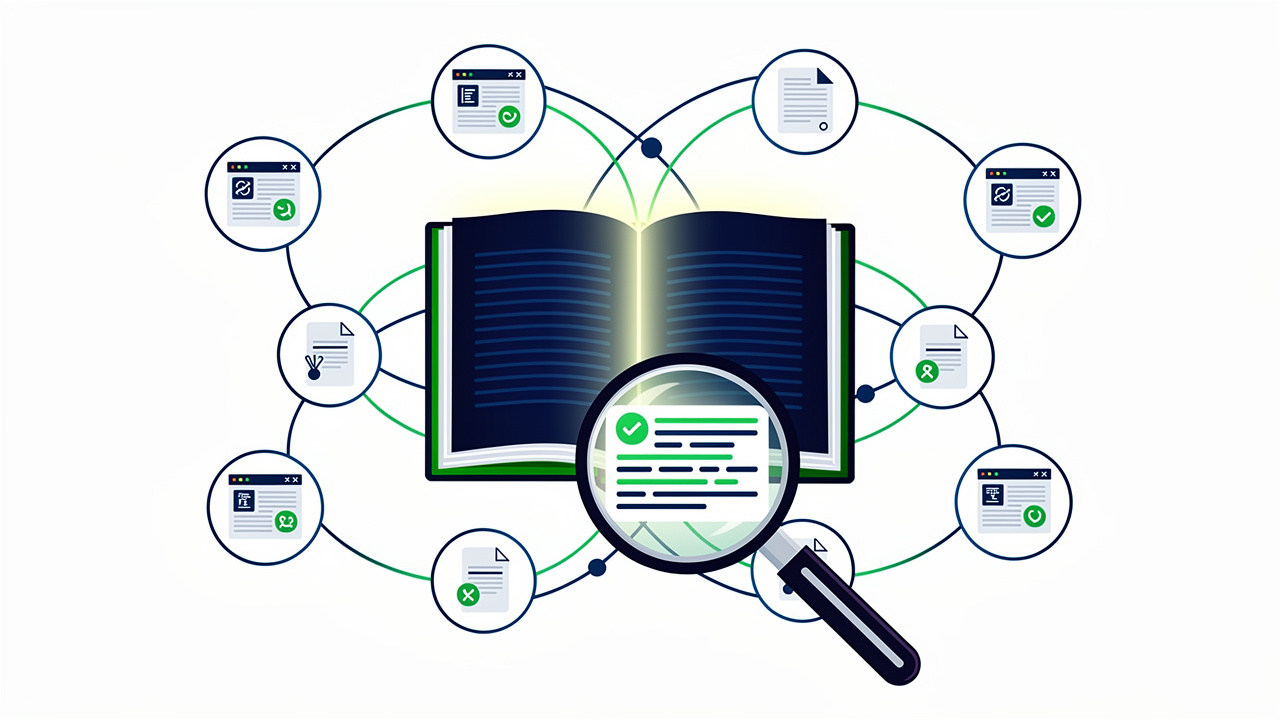
Staring at a finished essay, article, or blog draft, you might wonder if a sentence sounds a little too familiar. That worry is common, and it doesn’t always mean you did anything wrong on purpose. Paraphrasing too closely, forgetting a citation, or reusing an old draft can all create matches that look like copying even when your intent was honest.
To check plagiarism online means running your writing through a scanner that compares it against billions of web pages, journals, and past publications within minutes. This guide walks through what plagiarism actually covers, why it carries real consequences for students, writers, and site owners, and how detection tools sort matching text from original work. You’ll also see what separates a trustworthy checker from a mediocre one, plus how a privacy-first resource like Tools Repository fits into a writer’s toolkit alongside solid citation habits.
Keep reading to see how a two-minute scan can save you from a much bigger headache later.
Key takeaways
- Plagiarism often happens by accident, and small edits like swapping one word still count as duplication.
- Online plagiarism checkers compare your text against billions of web pages and academic sources within minutes.
- Free checkers now match paid tools on most core features, including percentage scoring and clickable source links.
- A trustworthy checker should protect your privacy, support common file formats, and highlight matches clearly.
- Tools Repository offers free, browser-based utilities that respect your data while you handle the writing and research side of things.
Table of Contents
- What counts as plagiarism, and why does it matter?
- How does an online plagiarism checker actually work?
- What should you look for in a plagiarism checker?
- How Tools Repository supports your workflow
- Best practices to avoid plagiarism in the first place
- The takeaway
- Frequently asked questions
- Is plagiarism detection the same as AI content detection?
- Will a free plagiarism checker match what my school or client uses?
- How many times can I recheck my document?
- Can plagiarism checkers detect copied images or graphics?
- What should I do if my report shows a high plagiarism percentage?
- Does a low plagiarism score always mean my work is safe?
What counts as plagiarism, and why does it matter?
Plagiarism means using someone else’s words, ideas, or creative work without giving proper credit, whether the copying was planned or purely accidental. The line between honest paraphrasing and duplication is often thinner than writers expect, and even careful students or rushed freelancers can cross it without realizing. A forgotten citation, a quote left without quotation marks, or a sentence that stays too close to a source can all count as plagiarism under most grading and editorial standards.
The stakes differ depending on who you are:
- Students face rewrite requests, failing grades, or suspension when a paper shows unoriginal work.
- Professional writers risk losing client trust and future assignments.
- Web developers and site owners face a different kind of damage, since search engines can push pages with duplicate content lower in the rankings, or drop them from search results altogether, cutting off organic traffic overnight.
- Freelancers who deliver copied or lightly reworded material to a client also risk their reputation, since word travels fast in small industries.
None of these outcomes require bad intent, which is exactly why checking your work before you submit or publish it matters so much. A quick scan catches issues while they’re still easy to fix, long before a professor, editor, or search algorithm finds them first.
Common types of plagiarism you should know
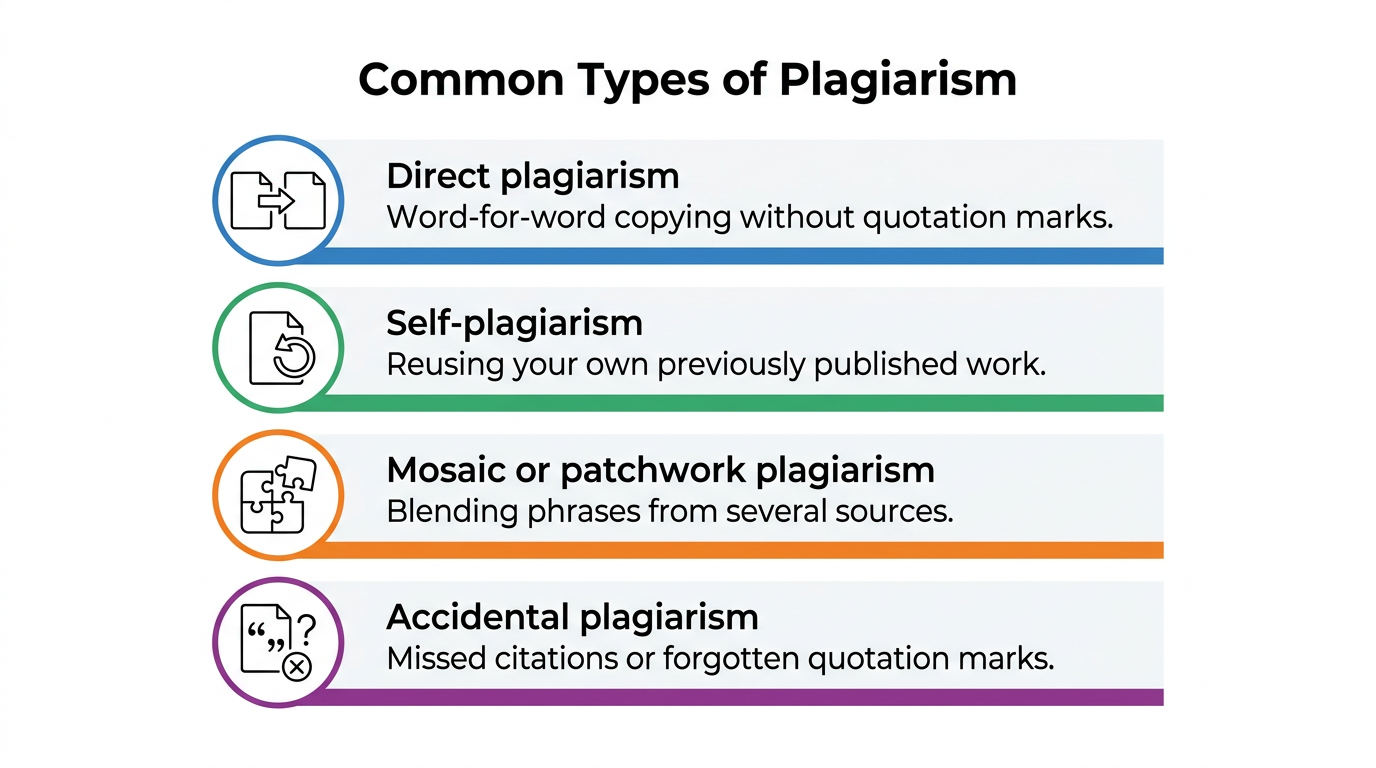
Plagiarism shows up in several recognizable patterns, and knowing them helps you spot risks in your own drafts before they cause trouble. Some forms involve copying text outright, while others involve borrowing ideas or structure without saying so. A quick self-check against these categories can save you from an unpleasant surprise later on.
- Direct plagiarism happens when you copy text word for word without quotation marks or a citation.
- Self-plagiarism means reusing your own previously submitted or published work without telling anyone.
- Mosaic or patchwork plagiarism blends phrases from several sources with your own writing, often without full credit.
- Accidental plagiarism comes from rushed writing, missed citations, or forgotten quotation marks rather than any intent to deceive.
Paraphrasing without citing the original idea still counts as plagiarism, even when every word is technically your own. An incomplete or sloppy bibliography carries the same risk, since it misleads readers about where the information actually came from.
How does an online plagiarism checker actually work?
An online plagiarism checker works by scanning your submitted text and comparing it against a massive index of web pages, academic papers, and published documents to flag matching or highly similar passages. You paste your writing into a text box or upload a file, and the tool’s algorithm gets to work within seconds.
Before any comparison happens, the system cleans up the text, removing stray formatting and normalizing spacing so the analysis stays accurate. From there, database comparison checks your submission word by word and sentence by sentence against billions of indexed sources, including academic databases like Google Scholar, PubMed, and JSTOR.
Because so much plagiarism today involves paraphrasing rather than copying word for word, modern tools also rely on natural language processing, a method that helps software understand word relationships and meaning rather than just matching exact strings. This layer, combined with machine learning models trained on known plagiarism patterns, lets a checker flag reworded sentences that a simple keyword search would miss entirely. Fuzzy matching adds another layer, catching similarities even when phrasing has been reordered or partially rewritten. The algorithm typically ignores common grammatical phrases so it does not flag harmless, everyday language as suspicious.
Once the scan finishes, you receive a report showing an overall similarity percentage, links to matched sources, and highlighted text marking exactly where the overlap occurred.
The step-by-step scanning process
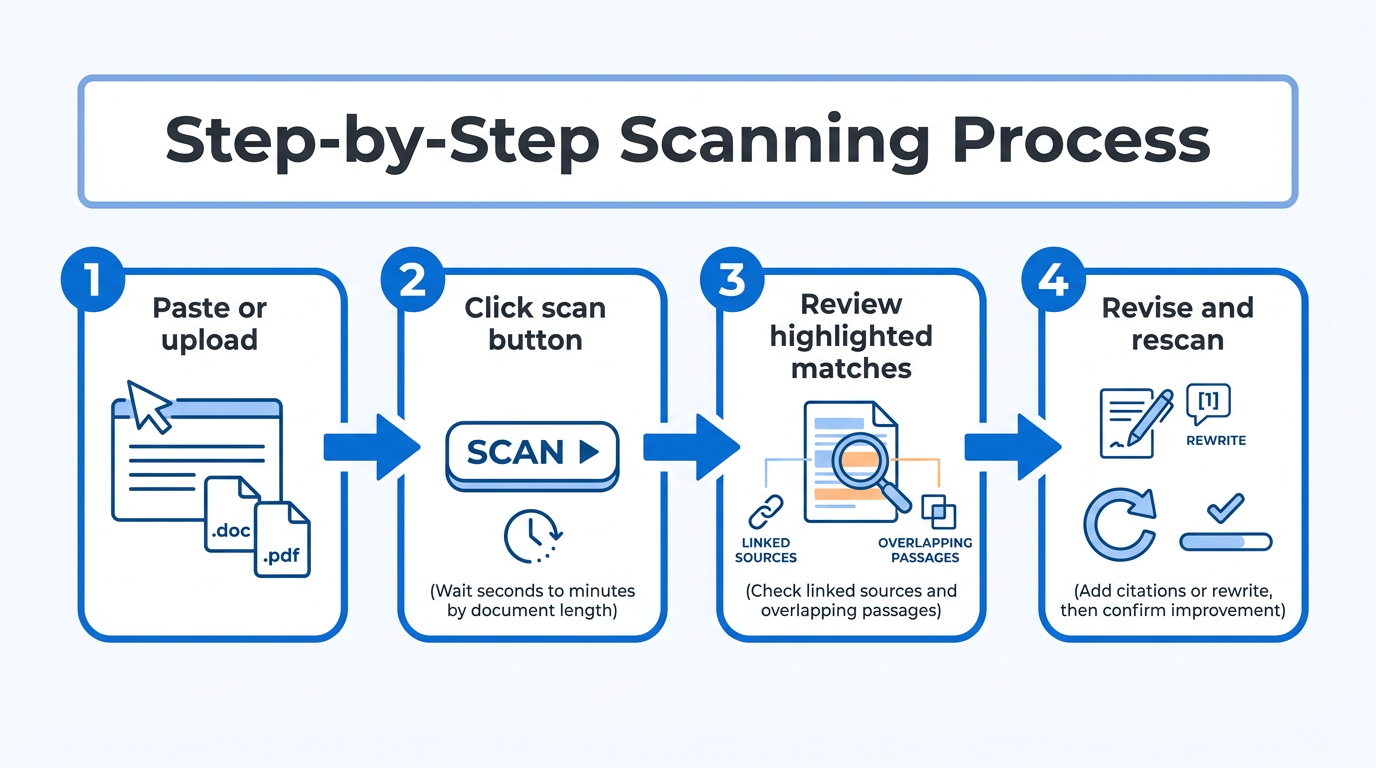
Running an actual scan follows a fairly predictable pattern no matter which tool you pick. Here is what the process usually looks like from start to finish.
- Paste your text directly into the scanner’s text box, or upload a file in a format like .doc, .docx, .pdf, or .txt.
- Click the scan button and wait, usually anywhere from a few seconds to a few minutes depending on document length.
- Review the report, checking the highlighted sentences and the linked sources they matched against.
- Revise the flagged sections, either adding a citation or rewriting the passage in your own words, then rescan to confirm the fix worked.
Most tools let you repeat this cycle as many times as needed until your originality score looks the way you want.
What should you look for in a plagiarism checker?
Not every plagiarism checker delivers the same quality of results, so it pays to check a few features before trusting one with an important document.
- Database coverage matters most, since a tool that only scans open websites will miss content copied from academic journals, books, or scholarly databases such as JSTOR or PubMed a limitation well documented in guides like the Plagius user manual, which explains how analyzed content can come from files, direct text entry, or web pages.
- Speed matters too, especially for teachers grading a stack of papers or freelancers working against a deadline, so look for a checker that returns results within a couple of minutes regardless of document length.
- File format support is another practical detail, and a good tool should accept .doc, .docx, .pdf, .txt, and similar formats, plus direct copy-paste and URL scanning, so you’re not stuck converting files first.
- Clear, percentage-based reporting with color-coded highlights makes a report easy to scan visually instead of forcing you to hunt through dense text for problems.
- Data privacy deserves special attention, since you’re often submitting unpublished research, a client’s manuscript, or proprietary business copy. A trustworthy checker states plainly that it does not store or reuse your content after the scan completes.
- Some tools now bundle AI content detection alongside plagiarism scanning, which is useful since the two checks answer different questions about a document’s origin.
Free vs paid checkers, what’s the real difference
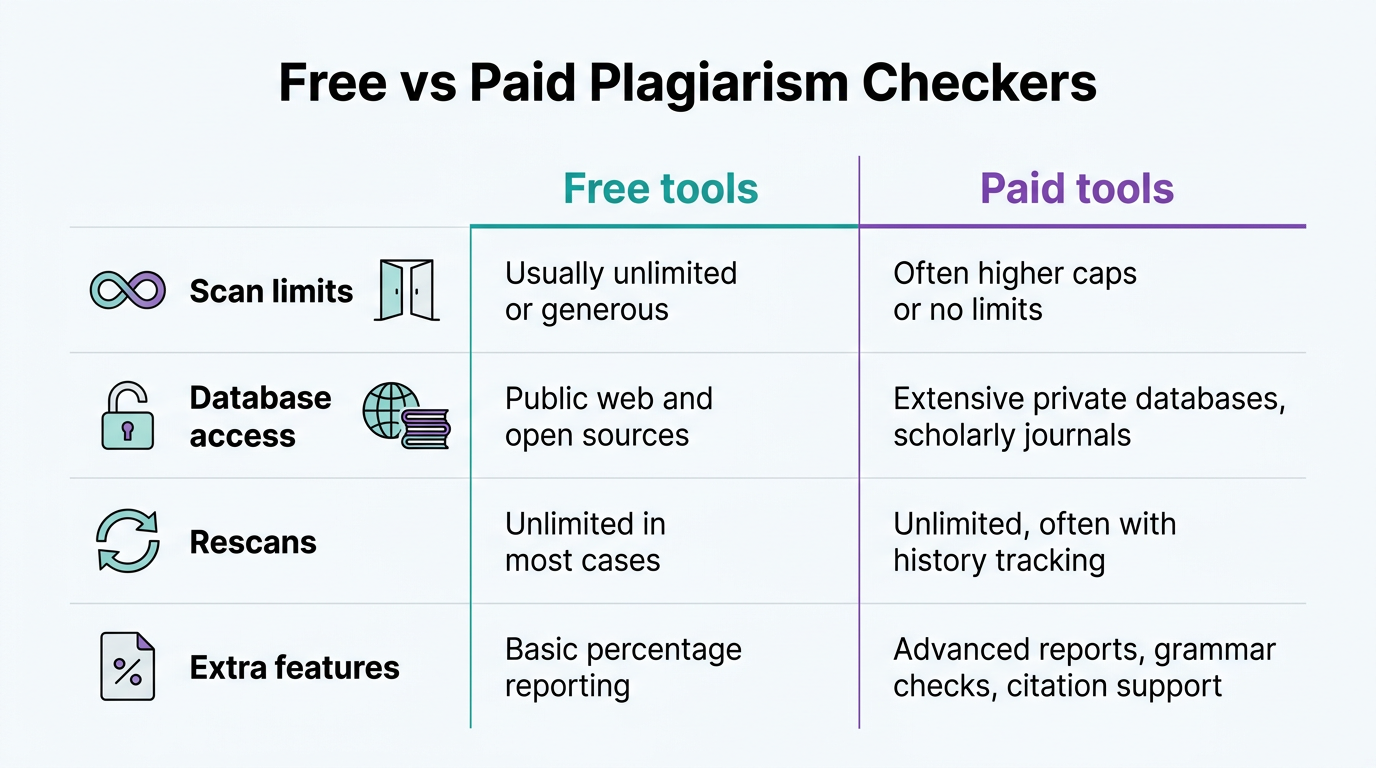
Price used to be the main line separating a weak checker from a serious one, but that gap has narrowed quite a bit. Free tools today usually cover unlimited scans, no sign-up requirements, and percentage-based scoring, which handles most everyday needs for students and freelancers checking a single document.
| Feature | Free tools | Paid tools |
|---|---|---|
| Scan limits | Usually unlimited or generous | Unlimited, often with bulk upload |
| Database access | Public web and open sources | Adds private academic and institutional archives |
| Rescans | Unlimited in most cases | Unlimited |
| Extra features | Basic percentage reporting | Deep scans, API access, fingerprinting |
Paid tiers mostly add depth for institutions and businesses, such as private student paper archives, bulk processing, or API access for developers. For a single essay, article, or client deliverable, a free checker is typically all you need.
How Tools Repository supports your workflow
Tools Repository fits into this same privacy-first mindset, offering more than 100 browser-based utility tools that developers, writers, and students can use without creating an account. Every tool runs directly in your browser, so text, code, or files you enter never travel to an outside server, which matters if you’re also handling sensitive drafts or client work alongside a plagiarism check. There is no subscription, no locked “pro” tier, and no login wall standing between you and the utility you actually need.
For writers, developers, and freelancers who already treat originality checks as a routine step, having a free formatting, conversion, or calculation tool ready in the same browser tab saves time between tasks. It reflects a broader idea worth applying everywhere in your workflow: pick tools that respect your data as much as they respect your deadline.
Best practices to avoid plagiarism in the first place
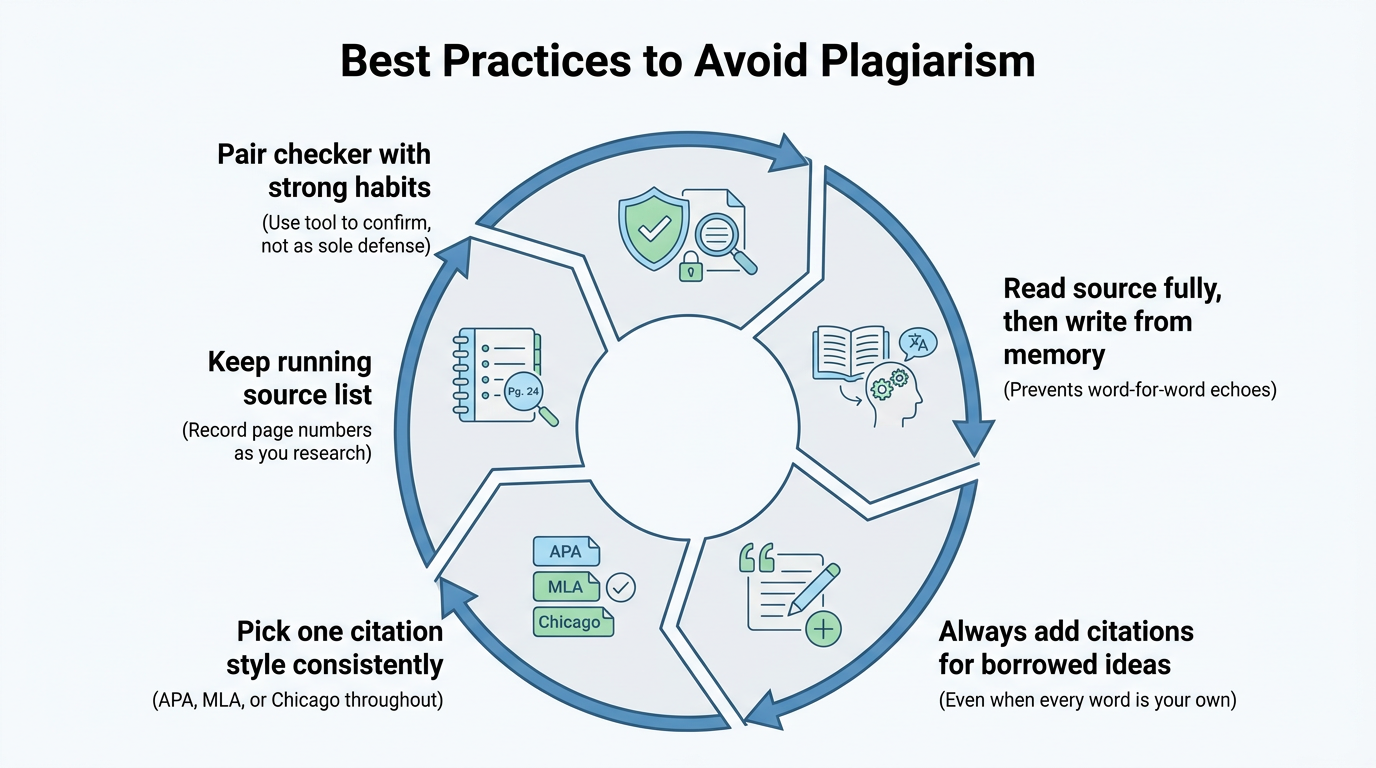
Checking your work after the fact only catches problems that already exist, so building better habits while you write prevents most of them from happening at all.
- Start by reading a source fully, closing it, and then writing the idea in your own words and sentence structure from memory rather than glancing back and forth. This single habit stops the word-for-word echoes that trigger most plagiarism flags.
- Always add a citation when the idea came from somewhere else, even if you changed every word describing it.
- Pick one citation style, such as APA, MLA, or Chicago, and apply it consistently across the entire document rather than mixing formats.
- Keep a running list of sources and page numbers as you research, since reconstructing citations after the fact is where most bibliographic errors creep in.
These habits reduce how often you need to rely on a checker as a last-minute fix.
The takeaway
Running a plagiarism check before you submit an assignment, publish an article, or hand off client work takes only a few minutes and protects far more than that time is worth. It confirms your grades, your professional reputation, and your search engine rankings all stay intact, catching accidental overlaps before a professor, editor, or algorithm finds them for you.
Make the habit stick by pairing a plagiarism scan with strong citation practices and careful paraphrasing, rather than treating the tool as your only line of defense.
Whether you’re a student finishing a thesis or a freelancer preparing a client deliverable, Tools Repository and similar free, no-signup resources make it easy to build originality checks into your regular writing routine without adding cost or friction.
Frequently asked questions
Is plagiarism detection the same as AI content detection?
No. Plagiarism detection identifies text that already matches published sources, while AI detection estimates whether a machine likely generated the writing. Many modern checkers now run both scans together, giving you a fuller picture of a document’s originality and authorship in one report.
Will a free plagiarism checker match what my school or client uses?
Not exactly, since universities and some companies also check against private databases of past submissions that public tools can’t access, a setup detailed in the corporate student guide for institutional plagiarism systems used by many schools. The overall detection method and reliability are usually comparable, though, so a free scan still gives you a strong, actionable preview before official submission.
How many times can I recheck my document?
Most free plagiarism checkers allow unlimited rescans at no extra cost, so there’s no reason to stop after one attempt. Run the scan again after every substantial revision, especially after rewriting flagged passages, to confirm the changes actually resolved the original overlap.
Can plagiarism checkers detect copied images or graphics?
Standard plagiarism checkers focus on text, not images, so a typical scan won’t flag a copied photo or graphic. Some advanced platforms add reverse image search using image recognition, letting you check visual content separately from your written work.
What should I do if my report shows a high plagiarism percentage?
Start by reviewing each flagged passage and clicking through to its matched source to understand the overlap. Depending on context, add a proper citation, rewrite the passage substantially in your own words, or remove it, then rescan to confirm the score actually improved.
Does a low plagiarism score always mean my work is safe?
Not necessarily. Even a small percentage can be a serious issue if the flagged text covers a core argument, a key statistic, or an unattributed quote. Always check the context of each match rather than judging your document by the overall number alone.