
Free Scientific Calculator Online: No Download Needed

Alisha Anjum

Need to stop searching for a way to solve trig homework without a $100 calculator sitting in a drawer somewhere. That problem drives most searches for a free scientific calculator online, and the fix is simpler than it sounds. A scientific calculator handles sine, cosine, logarithms, exponents, and other functions that go past basic math, and a web-based version puts all of that in a browser tab, free, with no download and no account. This guide walks through what makes a good one, who actually benefits from using one, how a tool like the free scientific calculator at Tools Repository fits into that picture, and how web tools stack up against mobile apps. By the end, picking the right calculator for homework, code checks, or budget math should feel obvious.
Key takeaways
- Free online scientific calculators handle trig, logarithms, exponents, and memory functions the moment a page loads, no waiting required.
- There’s nothing to install, nothing to pay, and no account to create, so the tool works the same on a laptop, tablet, or phone.
- Tools Repository includes a free, privacy-first scientific calculator inside a library of 100+ other browser-based utilities.
- Browser tools win for speed and quick tasks, while mobile apps tend to offer offline access and step-by-step tutorials instead.
- Always confirm exam rules before trusting an online calculator for a test, since many testing centers only allow approved physical devices.
Table of Contents
- What is a scientific calculator and why use one online?
- What features should a free online scientific calculator have?
- How does Tools Repository’s free scientific calculator work?
- Who benefits most from a free online scientific calculator?
- Web-based calculators vs. mobile apps: which should you use?
- How do I choose the right free scientific calculator online?
- The takeaway
- Frequently asked questions
What is a scientific calculator and why use one online?
A scientific calculator is a tool built to solve math problems that go well past adding and subtracting, covering trigonometry, logarithms, exponents, roots, and statistics. Unlike a basic four-function calculator, it can find the sine of an angle, calculate a natural logarithm, or raise a number to a fractional power, all functions that show up constantly in physics, chemistry, and engineering coursework. Physical models from Texas Instruments, Casio, and Sharp have sat in classrooms for decades, but they still cost money and can be lost, cracked, or left at home on exam day.
Using one online removes those problems in one move. A browser-based version costs nothing, loads on any device with internet access, and updates automatically instead of needing a firmware patch or a new device every few years. That combination of zero cost and instant access is exactly why students, developers, and freelancers increasingly reach for a browser tab instead of a physical device drawer.
What features should a free online scientific calculator have?
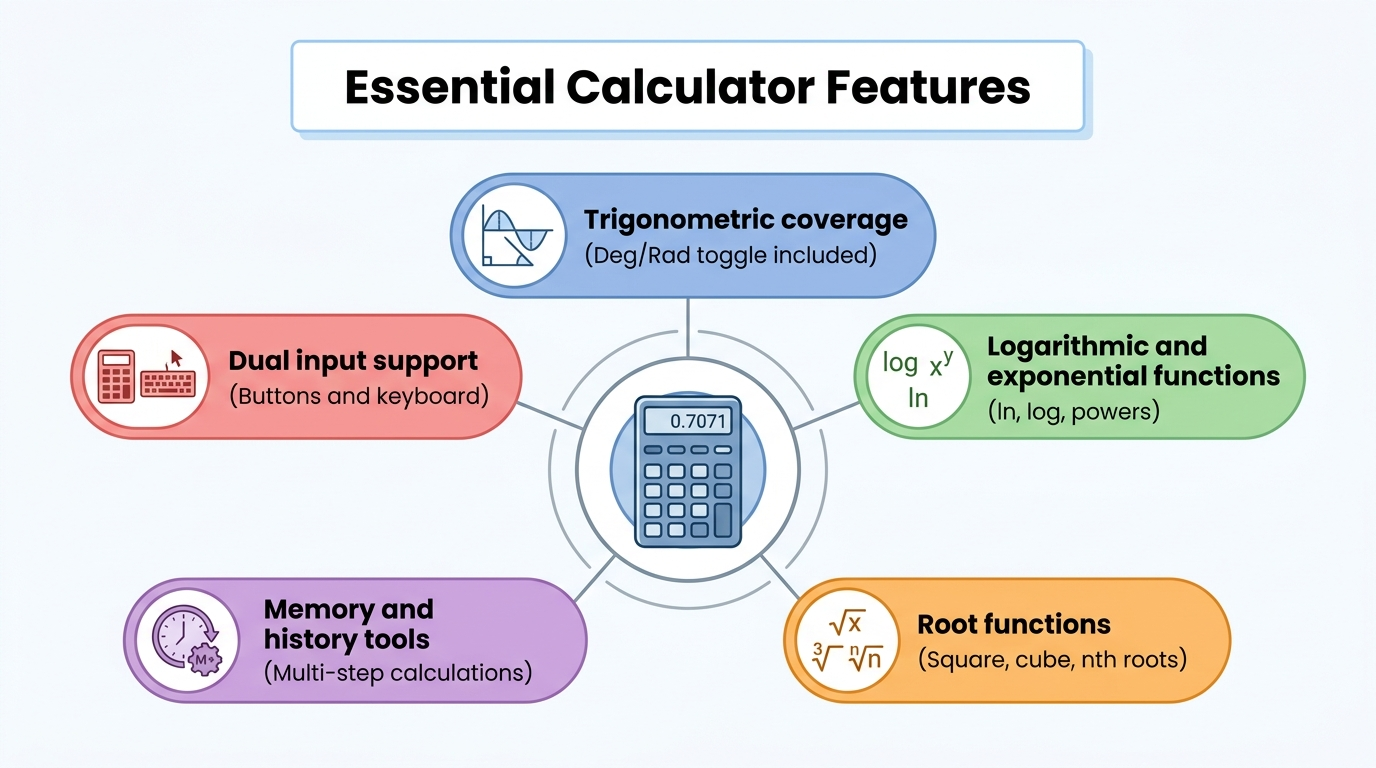
A capable free online scientific calculator should cover trigonometry, logarithms, exponents, roots, memory storage, and built-in constants, all inside one clean interface. These categories aren’t optional extras, they’re the baseline that separates a genuine scientific tool from a glorified basic calculator. Trig functions like sine, cosine, and tangent (plus their inverses) need a Degree/Radian toggle to stay accurate across geometry, physics, and engineering problems. Logarithmic functions, both natural log (ln) and base-10 log (log), matter for anything involving growth or decay, from compound interest to pH values in chemistry. Powers and roots, including square root, cube root, and generalized nth-root functions, round out the math side, while constants like pi and Euler’s number save time by removing manual entry, a general input approach also outlined in the CCalc technical reference for parsing mathematical expressions.
Beyond the math itself, input flexibility matters just as much as the function list. A calculator that only accepts mouse clicks slows down anyone comfortable typing numbers on a keyboard, while a tool that supports both methods serves beginners and power users equally well. Here’s what to look for when comparing options:
- Trigonometric coverage with a working Deg/Rad toggle, since mixing up angle units is one of the most common calculation mistakes.
- Logarithmic and exponential functions covering ln, log, and powers like x^y, e^x, and 10^x for scientific and financial math.
- Root functions for square root, cube root, and custom nth roots, useful across physics and geometry problems.
- Memory and history tools that store values for multi-step work without forcing manual re-entry.
- Dual input support, meaning both clickable buttons and direct keyboard typing work equally well.
Trigonometric, logarithmic, and exponential functions
These three function families cover most of what a scientific calculator gets used for outside basic arithmetic. Sine, cosine, and tangent (along with their inverse forms, sin⁻¹, cos⁻¹, and tan⁻¹) solve triangle and angle problems, and a Deg/Rad toggle keeps results aligned with whatever unit a textbook or lab manual expects. Logarithms, both natural log and base-10 log, along with exponential functions like e^x and 10^x, handle growth, decay, and scientific notation problems that show up across chemistry, finance, and computer science.
Memory and utility functions
Memory and utility buttons turn a calculator from a single-answer tool into something that can handle multi-step problems smoothly. M+ and M- store and adjust a saved value, MR recalls it, and Ans pulls the last result forward so long decimals never need retyping, a memory workflow explained in detail in the KCalc handbook for desktop scientific calculators. Parentheses support, along with percentage and factorial buttons, rounds out the toolkit for anyone working through layered equations or probability problems.
How does Tools Repository’s free scientific calculator work?
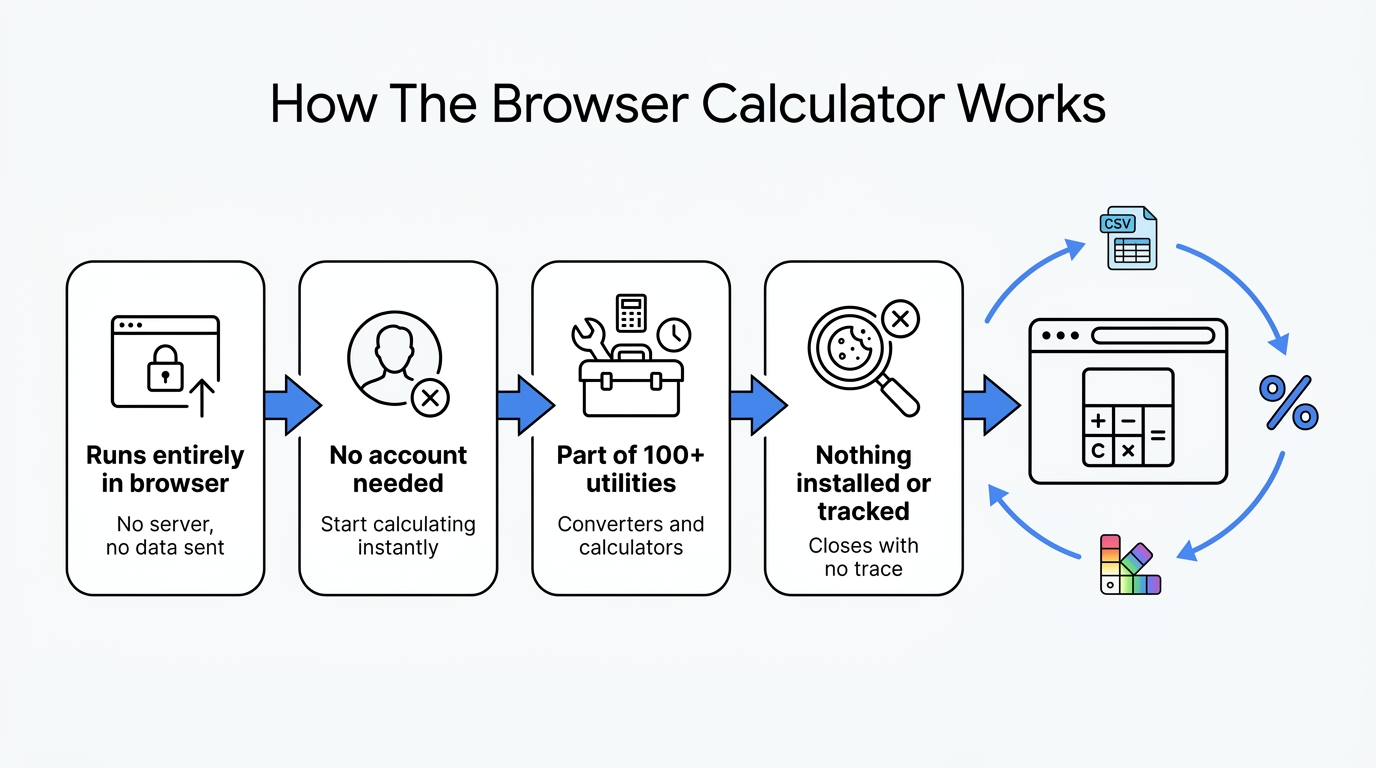
Tools Repository’s free scientific calculator runs entirely inside the browser, meaning calculations happen locally with no data sent to a server and no account needed to start. It’s one of more than 100 free utilities on the platform, sitting alongside data converters, unit converters, and other calculators built for developers, students, and freelancers who want quick answers without switching between a dozen different single-purpose sites. Because nothing gets installed and nothing gets tracked, the tool loads fast and closes the tab just as easily, leaving no trace behind.
This fits naturally into a broader workflow where someone might convert a CSV file, check a color contrast ratio, and run a trigonometric calculation in the same short browsing session. Rather than bouncing between ad-heavy calculator sites, the platform keeps the scientific calculator inside a clean, ad-light hub built for speed. That consolidation matters most for people who use several small tools daily and don’t want to manage bookmarks for each one separately.
Who benefits most from a free online scientific calculator?
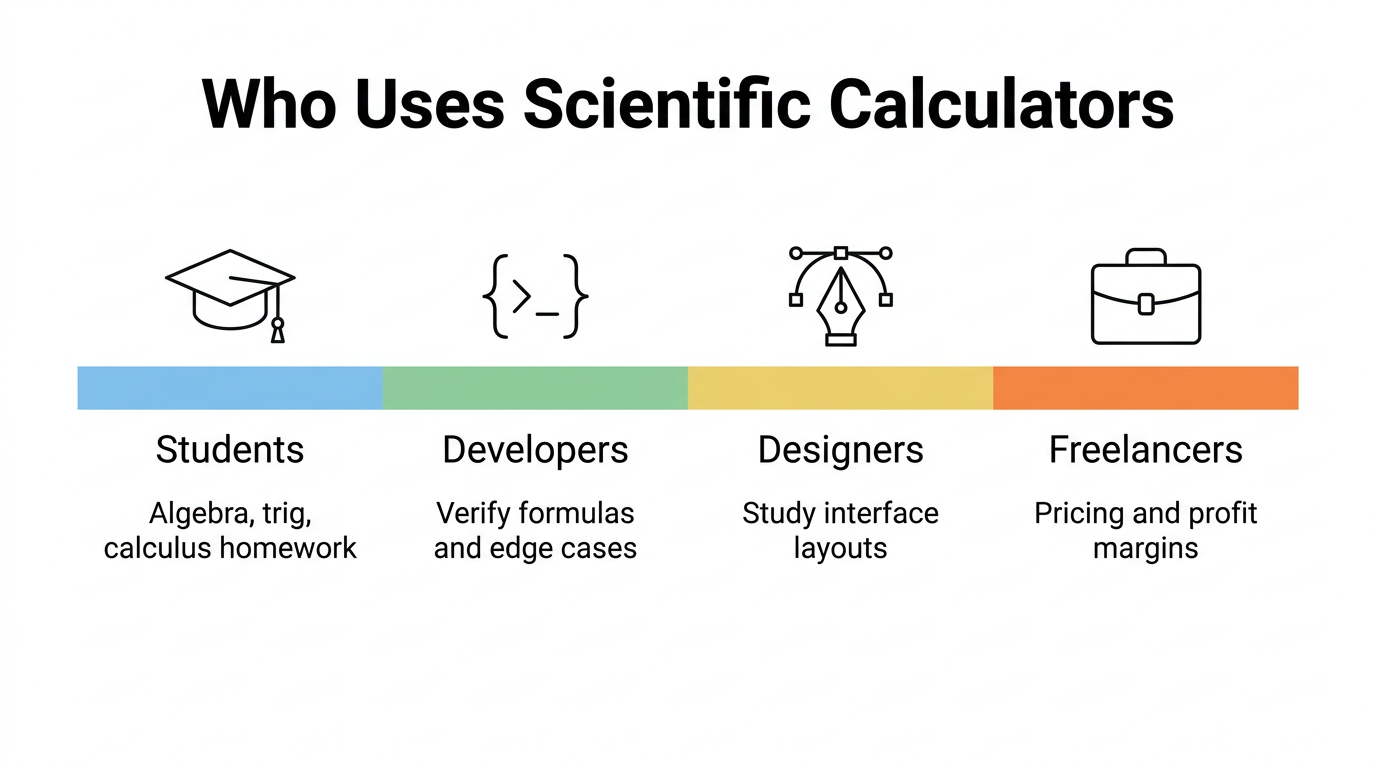
Students, developers, designers, writers, and freelancers all lean on a free online scientific calculator for different reasons, but the common thread is needing accurate math fast without extra cost or setup. Someone finishing a physics problem set needs the same instant trig access that a freelancer calculating a markup percentage does, just applied to different numbers. Because these tools work identically across devices, a student on a school laptop and a freelancer on a phone between meetings both get the same reliable function set. That shared reliability is part of why free scientific calculators have become a default reference tool across so many different work and study routines.
Students and academic users
Students use scientific calculators constantly for algebra, trigonometry, and calculus homework, plus quick verification before submitting an assignment. Standardized tests like the SAT and ACT often have specific calculator policies, so students should confirm with an instructor or test proctor whether an online tool is allowed before relying on it for exam day.
Developers, designers, writers, and freelancers
Developers use these calculators to verify formulas or test numeric edge cases without leaving the browser mid-project. Designers study calculator interfaces for lessons on button hierarchy and layout density, writers double-check statistics before publishing, and freelancers run quick percentage math for pricing, discounts, or profit margins.
Web-based calculators vs. mobile apps: which should you use?
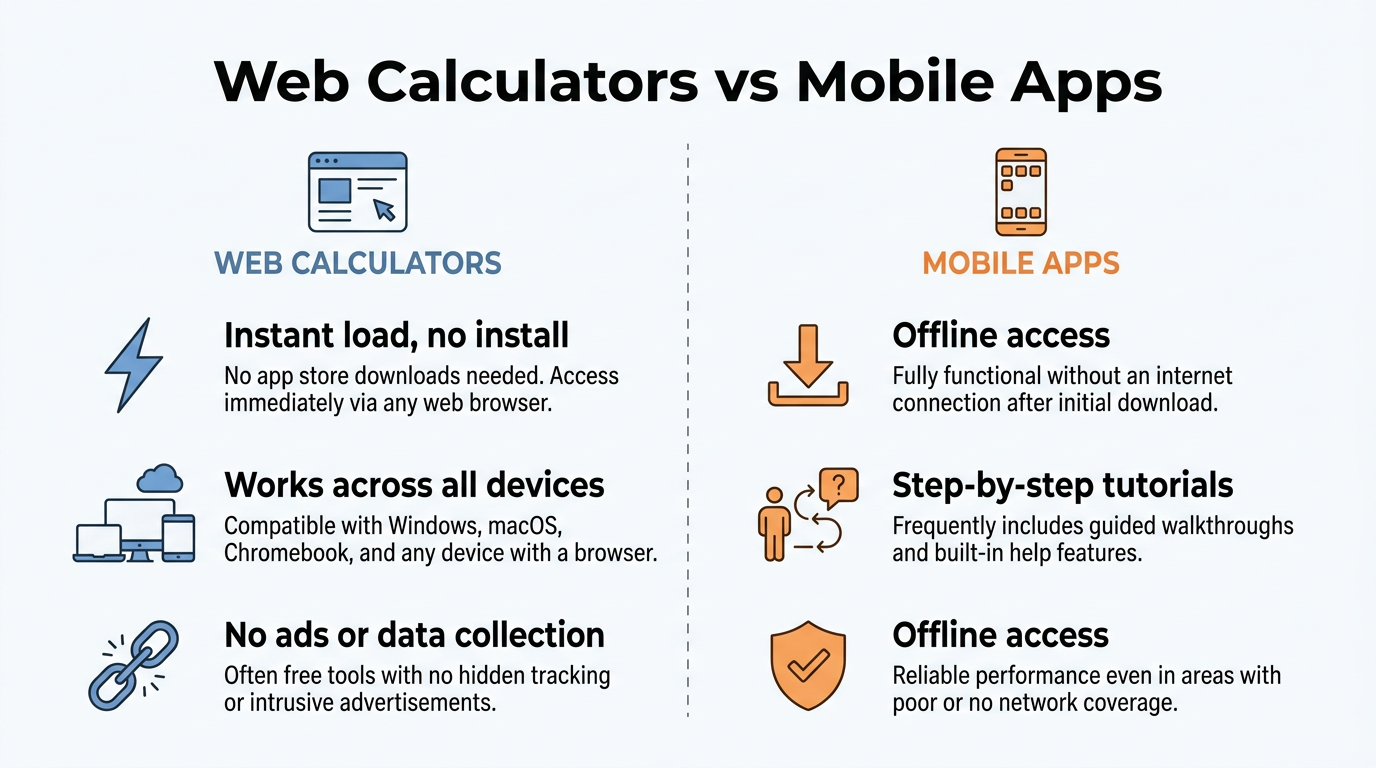
Choosing between a web-based scientific calculator and a mobile app comes down to whether speed or offline depth matters more for a given task. Browser tools load instantly with zero installation, work the same across Windows, macOS, and Chromebooks, and disappear the moment the tab closes, which makes them ideal for quick, one-off calculations during homework or a workday. Mobile apps, on the other hand, often add step-by-step solution walkthroughs, formula libraries, and offline access once downloaded, features that suit deeper study sessions away from Wi-Fi.
That extra functionality in apps usually comes with trade-offs worth knowing about:
- Many free apps rely on ads or in-app purchases to stay profitable.
- Some collect personal data or usage activity, disclosed through app store privacy labels.
- Browser-based tools like the one on Tools Repository skip that entirely since no account or download is involved, which makes them the more privacy-friendly pick for anyone who just needs a fast answer and nothing more.
How do I choose the right free scientific calculator online?
Picking the right free scientific calculator online starts with matching the tool’s interface and input options to how a person actually works. Someone who grew up using a physical handheld calculator might prefer a layout that mirrors that button grid, while someone comfortable typing math notation directly will value strong keyboard support more than visual familiarity. Beyond that, it helps to think about whether extra features like graphing, formula libraries, or step-by-step explanations actually matter for the task at hand, since a simpler tool often loads faster and feels less cluttered for basic scientific work.
Privacy and compliance deserve equal weight in that decision, especially for students prepping for standardized tests. A tool that skips account creation and keeps calculations on-device avoids the data questions that come with login-based platforms, and for exam prep specifically, it’s worth confirming whether a testing center recognizes a particular calculator as an approved option before building study habits around it.
Tip: Before relying on any online calculator for a graded test, check the exam’s official device policy first. It takes two minutes and saves the panic of finding out mid-exam that a browser tab isn’t allowed.
The takeaway
Free online scientific calculators solve a real problem, cutting the cost, clutter, and waiting that come with dedicated hardware or app downloads. Whether the task is a trigonometry problem set, a quick logarithm check during coding work, or a percentage calculation for a client invoice, a browser-based tool delivers the same math a $100 handheld device would, instantly and without commitment.
Tools Repository’s free scientific calculator fits into that picture as one part of a much larger toolkit, sitting alongside converters, generators, and formatters that cover a wide range of everyday digital tasks. Since it requires no login and processes everything locally, it’s a practical, privacy-respecting option worth bookmarking for anyone who needs quick, reliable math without the extra weight of an account or an app.
Frequently asked questions
Question: Is a free online scientific calculator as accurate as a physical one?
Yes, accuracy is equivalent since both rely on the same mathematical logic and formulas. The main practical difference is that browser-based tools update automatically to fix bugs or add functions, while physical calculators stay fixed once purchased.
Question: Can I use an online scientific calculator during an exam?
That depends entirely on the institution or testing organization’s specific rules. Some allow approved online tools like Desmos, while others require a certified physical device, so it’s best to confirm with an instructor or proctor beforehand.
Question: Do free online scientific calculators work without an internet connection?
Most web-based scientific calculators need an active internet connection to load and function properly. This differs from downloaded mobile apps or physical calculators, which typically work offline once installed or purchased.
Question: Does a free scientific calculator online require sign-up or personal data?
Quality tools, including the one on Tools Repository, require no login and keep every calculation on the user’s device. That means no personal data collection and no account creation needed to start calculating right away.
Question: What’s the difference between a scientific calculator and a graphing calculator?
A scientific calculator handles numeric functions like trigonometry, logarithms, and exponents without visual output. A graphing calculator builds on that by plotting equations visually, letting users see how variables relate across a coordinate plane.
Question: Can I switch between degrees and radians easily online?
Yes, most free online scientific calculators include a simple Deg/Rad toggle button near the main function keys. Getting this setting right matters since mixing up degrees and radians is one of the most common trigonometry calculation errors.