
How to Convert CSV to JSON: Fast, Free Methods

Alisha Anjum

You just exported a report from a spreadsheet or database, and it landed as a CSV file. Now the app, API, or script you’re building needs JSON instead, and the two formats don’t line up the way you’d hope. This is one of the most common data headaches for web developers, students, writers, and small business owners alike.
Learning how to convert CSV to JSON solves that headache directly. CSV stores data as flat rows and columns, while JSON organizes data into key-value pairs that can nest inside one another, which is exactly what most web apps, REST APIs, and JavaScript frameworks expect. This guide walks through what makes the two formats different, the fastest browser-based way to convert between them, and the alternative methods (scripts, command-line tools, and automation platforms) worth knowing when your needs grow beyond a one-off file.
By the end, you’ll know exactly which method fits your file size, your privacy needs, and how often you’ll repeat the task. Let’s start with the basics.
Key takeaways
Before getting into the details, here’s a quick summary of what matters most when you convert CSV to JSON.
CSV stores data as flat, comma-separated rows, while JSON supports nested, structured data that apps and APIs rely on for things like user profiles or multi-item orders.
The fastest, no-code way to convert CSV to JSON is a free online converter that processes your file inside your browser, keeping sensitive data off any remote server.
Watch for three recurring issues: incorrect delimiter detection, mishandled quotes around commas or embedded quotes, and Excel stripping leading zeros from numbers like ZIP codes.
For recurring or large-scale conversions, command-line tools, custom scripts, or workflow automation platforms give you more control and repeatability than a browser tool.
Table of Contents
- What is CSV and why convert it to JSON?
- How do I convert CSV to JSON online?
- What other methods can I use to convert CSV to JSON?
- What common problems come up when converting CSV to JSON?
- The takeaway
- Frequently asked questions
- Is it safe to convert sensitive CSV data online?
- Can I convert an Excel file straight to JSON without saving it as CSV first?
- Why does my JSON output show numbers as text?
- What should happen to empty CSV fields after conversion?
- Can I convert a very large CSV file using a browser-based tool?
- Do I need to know how to code to convert CSV to JSON?
- How do I fix a CSV file that won’t convert correctly?
What is CSV and why convert it to JSON?
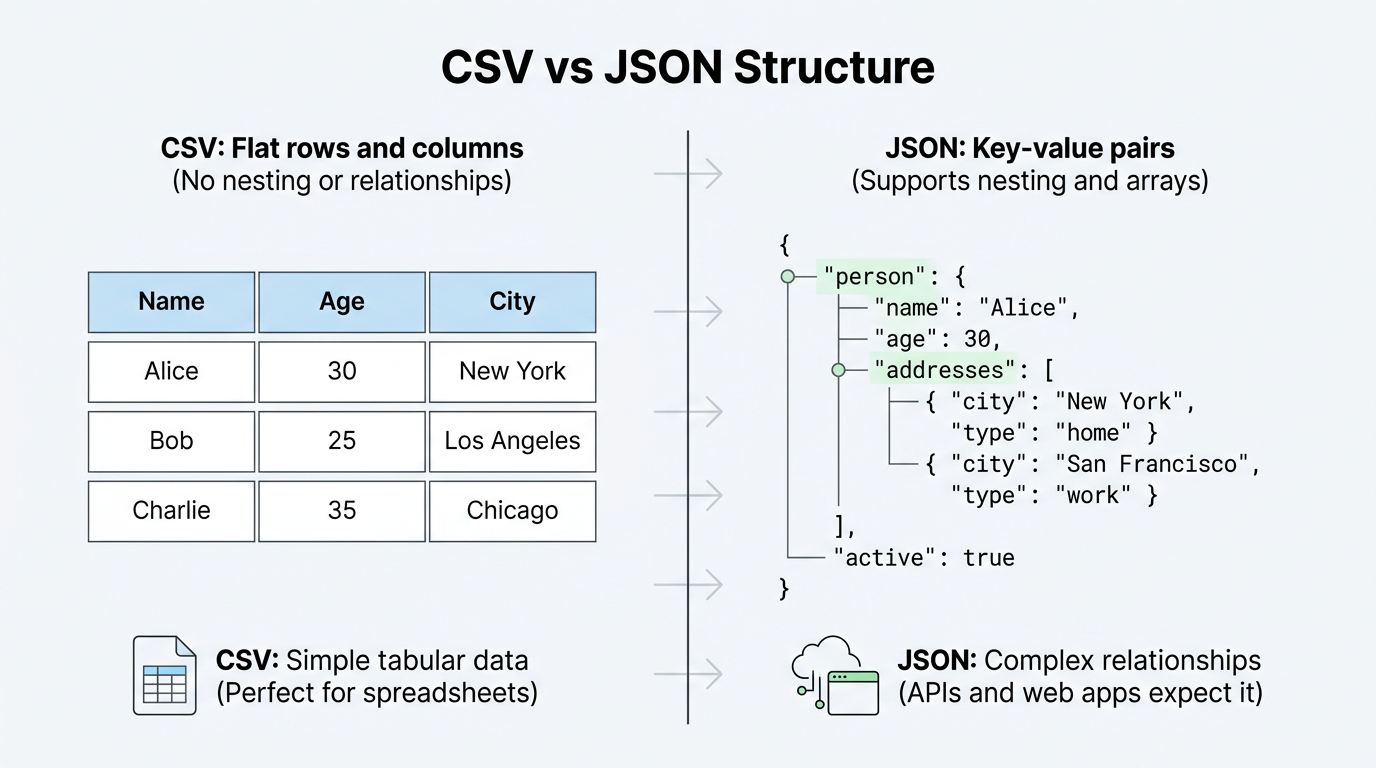
CSV, short for comma separated values, is a plain text format where each line is a row of data and each value in that row is separated by a comma. JSON, or JavaScript Object Notation, organizes the same kind of information into key-value pairs that can nest inside arrays and objects, letting it represent relationships that a flat CSV row simply cannot hold, like an order with several line items or a customer with multiple addresses. This difference in structure is exactly why so many people need to convert CSV to JSON in the first place. Front-end and back-end developers need JSON because JavaScript reads it natively and most REST APIs expect it as the request or response format. Teams migrating data into NoSQL databases like MongoDB face the same requirement, since those systems store documents in JSON-like structures rather than tables. Students and researchers reformat CSV survey exports into JSON for web-based dashboards and coding assignments, while content writers and copyeditors managing product catalogs often need spreadsheet data converted to JSON for a content management system or static site generator. Automation pipelines add another layer, since JSON is the common language that lets one step in a workflow hand data off cleanly to the next.
How CSV structure affects conversion
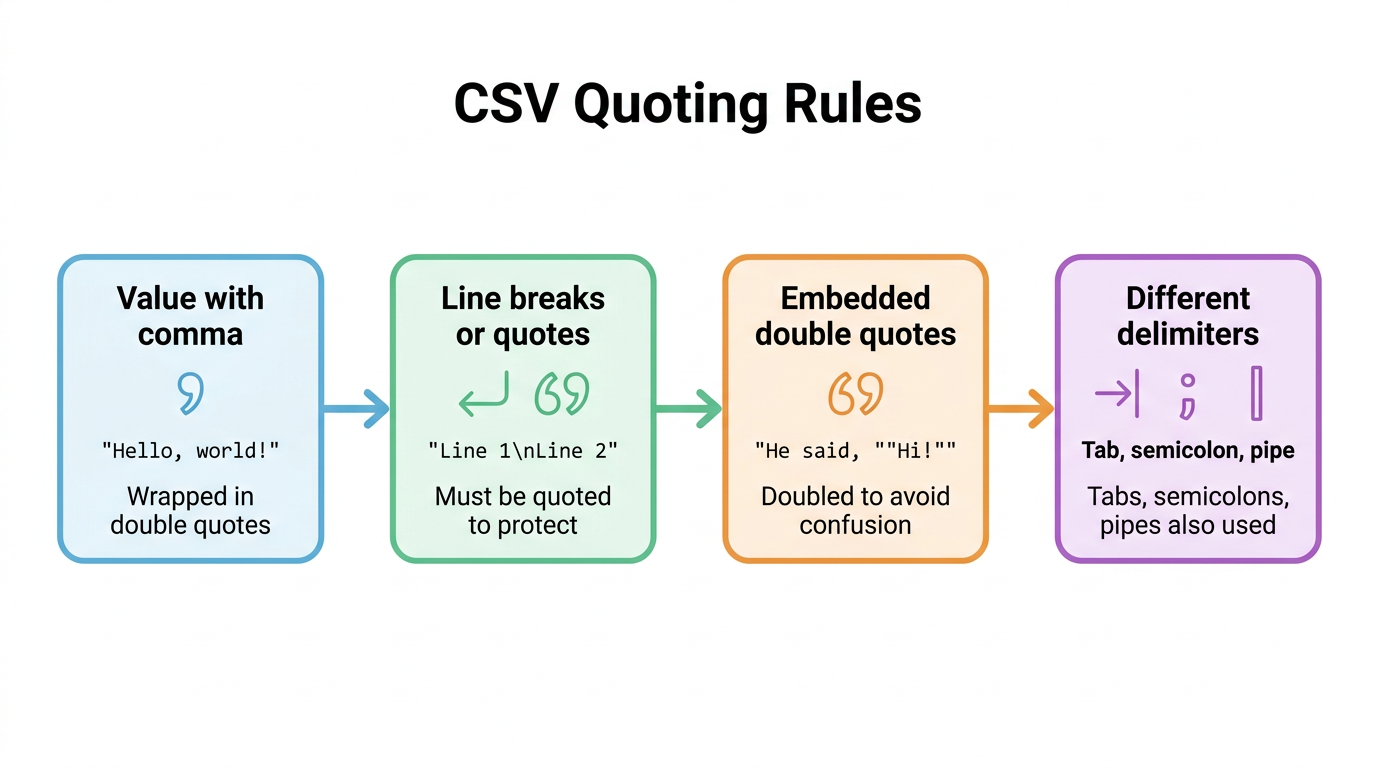
CSV’s simplicity hides a few quoting rules that trip up naive converters, and understanding them helps explain why some tools produce cleaner JSON output than others. If a value contains a comma, a line break, or a double quote, it has to be wrapped in double quotes so the parser doesn’t split it into extra columns, and if that quoted value contains its own double quote, the quote gets doubled to avoid confusion, for example "Sam ""Mad Dog"" Smith".
CSV files also don’t always use commas at all. Tab-separated values, common when copying straight from Excel, along with semicolons, pipes, and colons, all show up depending on the source system and regional formatting conventions. The closest thing to an official rulebook for all this is RFC 4180, a specification that describes how CSV files should be structured and quoted, and tools that follow it tend to handle real-world files far more reliably.
How do I convert CSV to JSON online?
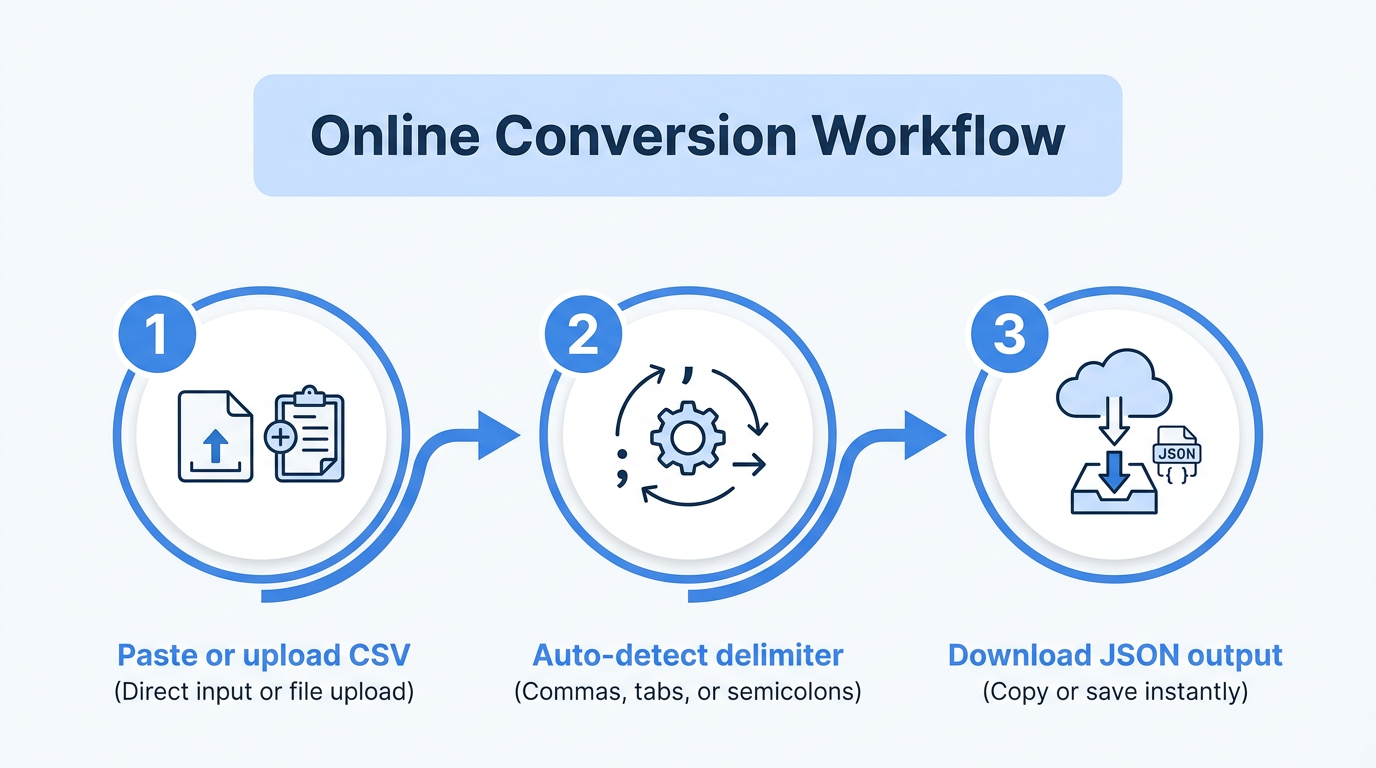
Converting CSV to JSON online means pasting or uploading your file into a browser-based tool, letting it detect the format automatically, and getting back finished JSON in seconds without writing a single line of code. The general flow is the same across most quality converters:
Paste your CSV text directly into an input box, or upload a
.csvfile from your computer. Some tools even accept data copied straight out of Excel, since a range of cells pastes as tab-separated text that a good converter recognizes on its own.The tool auto-detects whether your data uses commas, tabs, semicolons, or another delimiter, and applies the correct quoting rules so values with embedded commas or quotes don’t get mangled.
Within a moment, the converted JSON appears on screen, ready to copy to your clipboard or download as a
.jsonfile for use in your project.
When you’re comparing converters, a few things matter more than flashy extras: does it process your file locally in the browser rather than uploading it to a server, does it handle large files without freezing up, and does it correctly manage quoted fields and mixed delimiters without you having to fiddle with settings first. A converter that gets these basics right will save far more time than one loaded with features you’ll rarely touch.
Why I recommend Tools Repository’s CSV to JSON converter
For a quick, no-fuss conversion, I point people toward Tools Repository’s CSV to JSON converter, which is one of over 100 free browser tools on the platform, sitting alongside related utilities like a YAML to JSON converter, a Base Converter, and a Digital Data Converter. Having converters, formatters, and calculators grouped together in one place is genuinely useful when a project needs more than a single format change, since you’re not hunting across a dozen different sites for each small task.
What makes it a practical daily choice is what it doesn’t ask of you. There’s no login screen, no subscription tier, and no waiting around, since results appear the moment you paste or upload your data. The interface stays clean and distraction-free, and because it’s fully responsive, it works the same whether you’re at a desktop, checking a file on a tablet, or fixing something quickly from your phone.
What other methods can I use to convert CSV to JSON?
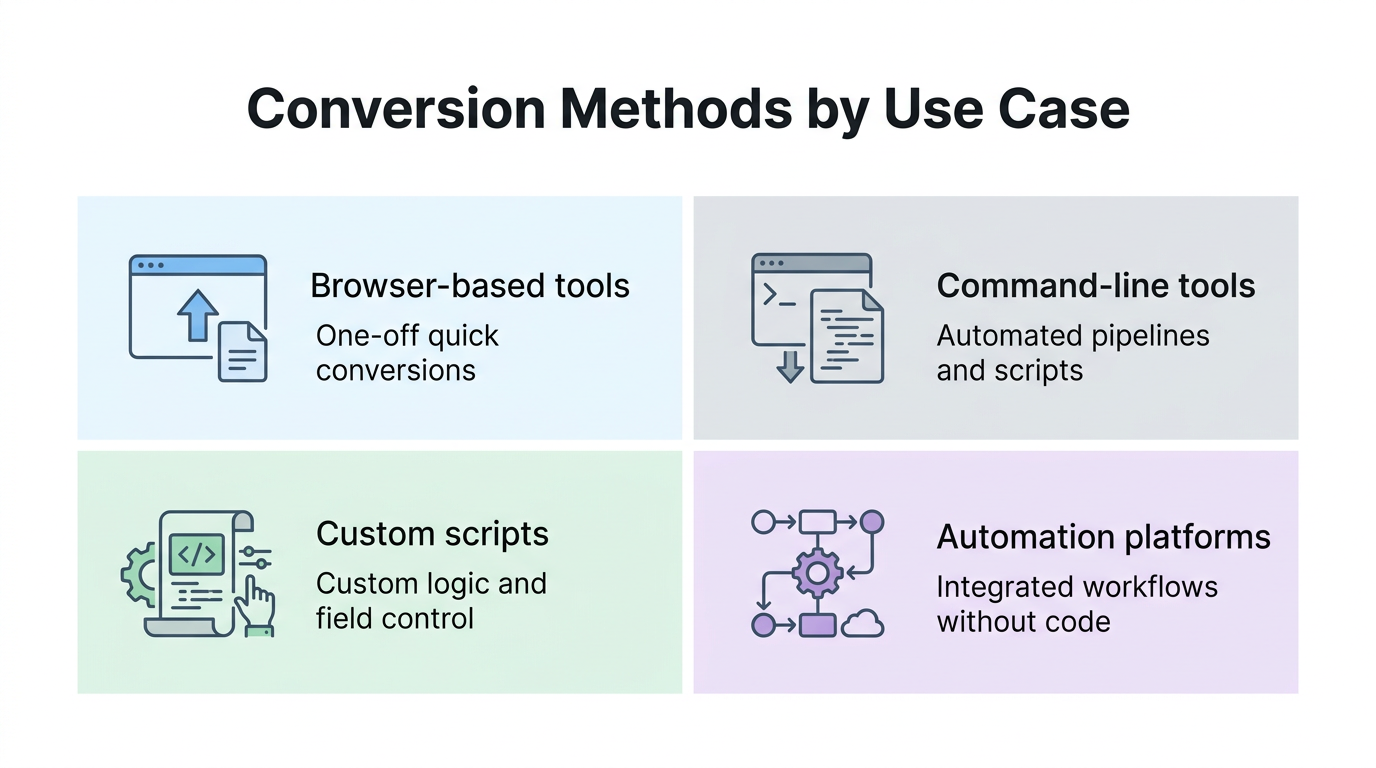
Beyond a browser-based converter, several other methods exist for turning CSV into JSON, and the right one depends on how often you’ll repeat the task, how much data you’re handling, and whether you need custom logic applied along the way. A one-off file from a client or a quick homework dataset rarely justifies writing a script, but a nightly data export from a production system almost always does. Command-line tools and APIs suit developers who need conversions to run automatically as part of a build process or backend service. Custom scripts give you full control when you need to rename fields, nest related records, or apply business rules that a generic tool can’t anticipate. Workflow automation platforms sit somewhere in between, offering a visual way to wire CSV-to-JSON conversion into a larger business process without writing much code at all. None of these approaches is strictly better than the others; they’re just suited to different points on the scale between a single quick task and a repeating, high-volume pipeline.
Command-line tools and APIs
Command-line tools like the csvjson command reference let developers script CSV-to-JSON conversion directly into shell scripts, cron jobs, or CI/CD pipelines, so the same transformation runs automatically every time without manual steps. For teams running conversions at real scale, API-based services and libraries like the csvkit csvjson documentation offer a similar benefit programmatically, accepting CSV data and returning JSON on demand, which is useful for SaaS platforms handling user-uploaded files or ETL pipelines pulling data from external partners.
Custom scripts with Python or JavaScript
Writing your own script makes sense when you need control that a generic tool doesn’t offer, such as renaming keys, converting data types, or nesting related rows into a single object. The basic logic stays simple: read the header row as your JSON keys, map each following row’s values to those keys, and collect the results into an array. Avoid the beginner mistake of splitting each line by commas manually, since that breaks the moment a value contains an embedded comma or quote; a tested CSV parsing library such as the csvtojson npm package handles those edge cases correctly.
Workflow automation platforms
Workflow automation platforms let you wire CSV-to-JSON conversion into a bigger process without writing much custom code. A typical setup might auto-convert a CSV the moment it’s uploaded to a shared drive, then push the resulting JSON into a Slack alert or a database update automatically. This approach works well for teams that mix technical and non-technical members who all need a hand in maintaining the same data pipeline.
What common problems come up when converting CSV to JSON?
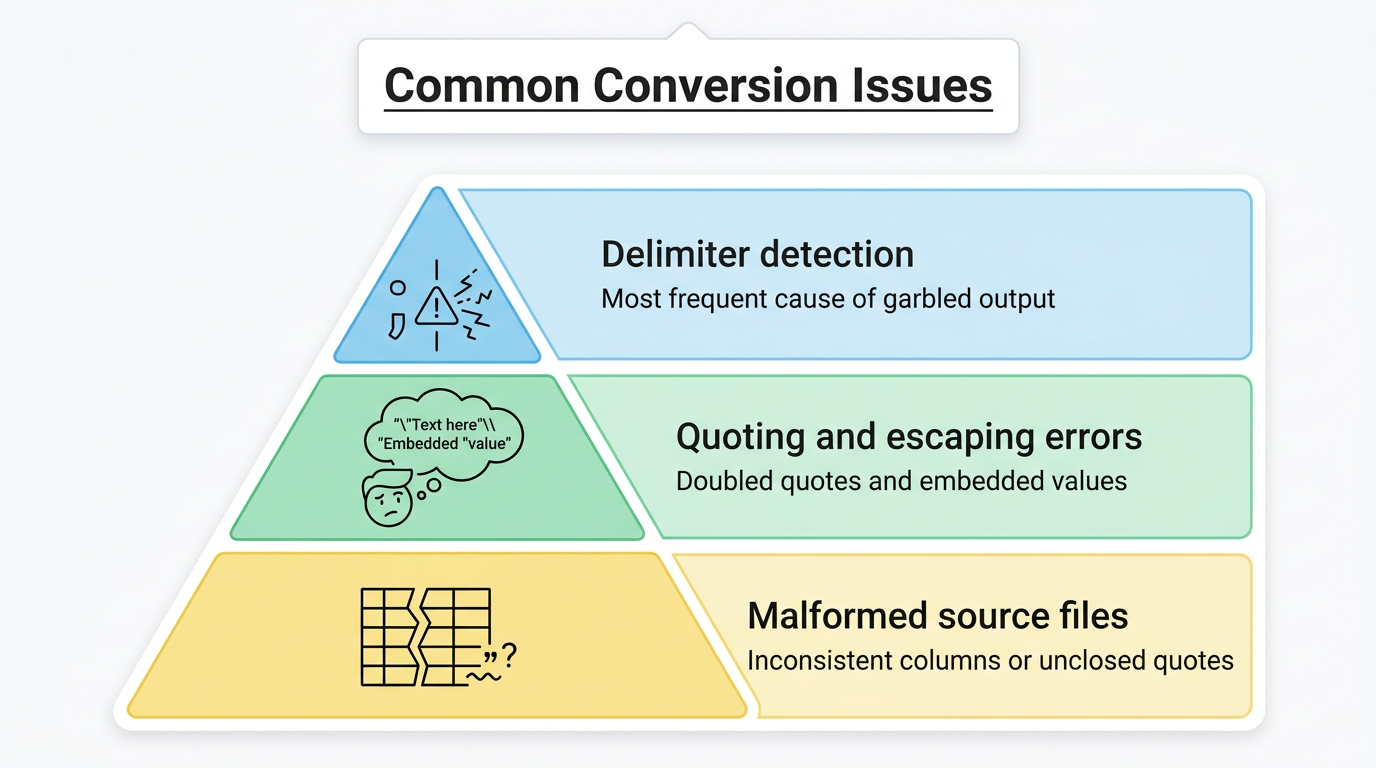
Most CSV-to-JSON errors trace back to a small set of recurring causes, and knowing them ahead of time makes troubleshooting much faster.
Delimiter detection is the most frequent culprit, since a file that actually uses semicolons or tabs will produce garbled output if a tool assumes commas without checking, so look for auto-detection with a manual override as a backup.
Quoting and escaping errors come next, particularly when a converter fails to correctly read doubled double quotes inside a quoted field, which corrupts the data it’s supposed to preserve.
Malformed source files, such as rows with an inconsistent number of columns or quotes that never get closed, will also break conversion regardless of how good the tool is.
A more specific issue shows up with Excel-originated files, where numeric-looking text like a ZIP code with a leading zero gets auto-formatted as a plain number, silently dropping that zero. Wrapping the value in quotes alone won’t fix this; the reliable workaround is prefixing it with an equals sign before the quotes, like ="00123", which tells Excel and most conversion tools to treat it as literal text. Large files add one more wrinkle, since browser-based tools can slow down on very large CSVs, which is when a desktop application or command-line option becomes the more practical pick.
Tip: when in doubt about a messy source file, run it through a validator before conversion. Catching an unclosed quote or a ragged row count early saves you from chasing a confusing error deep in your JSON output later.
The takeaway
Choosing how to convert CSV to JSON really comes down to three questions: how big is the file, how often will you repeat this, and how sensitive is the data. For a single spreadsheet export or a quick student project, a free online converter gets the job done in seconds without any setup, and one that processes everything locally in your browser keeps sensitive records off any outside server. For recurring exports, high volumes, or custom output structures, command-line tools, scripts, or automation platforms are worth the extra setup time.
If you’re facing a CSV file right now and just need it in JSON, start simple. Tools Repository’s free CSV to JSON converter, along with its other data and text utilities, is a solid first stop for exactly this kind of quick, no-login task, and you can always graduate to scripts or automation later once your needs grow beyond a single file.
Frequently asked questions
Here are quick answers to the questions that come up most often when converting CSV to JSON.
Is it safe to convert sensitive CSV data online?
It’s safe as long as the tool processes your file client-side, meaning entirely inside your browser rather than uploading it to a remote server. Before pasting sensitive records like customer lists or financial data into any converter, check its stated data handling practices to confirm nothing gets transmitted externally.
Can I convert an Excel file straight to JSON without saving it as CSV first?
Yes, in most cases. You can copy cells directly from Excel and paste them into a converter, which reads the tab-separated clipboard data automatically, or upload the Excel file itself if the tool supports reading the first worksheet directly as its source.
Why does my JSON output show numbers as text?
CSV has no built-in concept of data types, so every value starts out as plain text regardless of what it looks like. Some converters automatically detect numeric-looking values and output them as real JSON numbers, while others keep everything as strings unless you change a setting.
What should happen to empty CSV fields after conversion?
There’s no single universal rule, so behavior varies by tool. Most converters turn an empty CSV field into an empty string in the JSON output, though some let you configure it to become null or be omitted from the object entirely, depending on what your downstream application expects.
Can I convert a very large CSV file using a browser-based tool?
Browser tools can handle moderately large files, but very large CSVs (hundreds of thousands of rows or more) may slow down or strain browser memory. For heavy or repeated conversions at that scale, a desktop application or a command-line tool is usually the more reliable choice.
Do I need to know how to code to convert CSV to JSON?
No, not for a standard conversion. Free online converters are built for non-technical users and require nothing more than pasting or uploading a file, with coding only becoming necessary when you need custom logic, like renaming fields or nesting records in a specific way.
How do I fix a CSV file that won’t convert correctly?
Start by checking for consistent column counts across every row and confirming that every quoted field is properly closed. Running the file through a tool with built-in validation catches these structural problems early, before they turn into confusing errors in your final JSON output.