
IP Tools Guide: Lookup, Security & DNS Checks Explained

Alisha Anjum

Searching for the right IP tools often turns into a maze of random websites, confusing results, and unclear privacy policies. You need a quick IP lookup, a security check, or a DNS test, but it’s hard to know which tool gives trustworthy data without asking for your email first. That frustration grows when every site wants an account created before showing one simple result.
IP tools are online utilities that help you look up, trace, and analyze Internet Protocol addresses along with the network data tied to them. This guide walks through the main types of IP tools, from geolocation lookups to reputation checkers, DNS tools, port scanners, and Whois lookups. You’ll also learn how to match a tool to your actual task, what limits to keep in mind, and where a free, browser-based option like Tools Repository fits into daily work. By the end, picking the right tool should feel simple instead of overwhelming.
Let’s start by breaking down what these tools actually do and why so many professionals rely on them.
Key takeaways
- IP tools reveal the location, security status, and network details behind any IP address, turning a string of numbers into information you can actually use.
- Different tasks call for different tools. Use lookup tools for location data, reputation checkers for security, DNS tools for domain troubleshooting, and Whois for ownership records.
- Browser-based, login-free tools cut down on privacy worries since nothing gets stored or tracked on someone else’s server.
- Combining a few tools together usually gives more reliable results than trusting a single source alone.
- The right IP tool depends on your specific task, whether that’s a quick lookup or a deeper security check.
Table of Contents
- What are IP tools and why do they matter?
- What are the main types of IP tools?
- How do I choose the right IP tool for my task?
- What should I watch out for when using IP tools?
- The takeaway
- Frequently asked questions
What are IP tools and why do they matter?
IP tools are online utilities that take an IP address, the distinct numerical label assigned to every device connected to a network, and translate it into useful details, similar to how developers interact with addresses programmatically through an IP address API reference built for lookup and parsing tasks. These details can include geographic location, internet service provider, security risk level, and connection type. Instead of staring at a meaningless string of numbers, you get context you can act on right away. Most of these tools work instantly in a browser, with no software to install.
Web developers use them to troubleshoot connectivity and understand where traffic comes from. Designers and content creators rely on them to check regional display issues or verify audience location. Students use IP tools to learn networking concepts hands-on, while freelancers and small business owners use them to spot suspicious traffic or confirm a client’s domain details. Across all these groups, the common thread is wanting quick, accurate answers without extra hassle.
What are the main types of IP tools?
The main types of IP tools include lookup and geolocation tools, reputation checkers, DNS and reverse IP tools, port scanners, and Whois or CIDR range tools, with each one built to solve one specific problem. Instead of one tool trying to handle everything, this specialization works in your favor. You grab a focused tool that answers your exact question instead of digging through a cluttered report full of details you don’t need. A geolocation tool won’t tell you much about open ports, and a reputation checker won’t reveal domain ownership. Knowing which category matches your task saves time and delivers a cleaner, more useful answer. The breakdown below maps each tool type to the task it handles best.
IP lookup and geolocation tools

IP lookup and geolocation tools reveal the country, city, internet service provider, and timezone tied to any IP address. They work by checking the address against large databases that map number ranges to real-world locations and network owners. Developers use this data to troubleshoot connection issues, while marketers and designers use it to understand where visitors are browsing from, including for regional pricing or geo-specific content tests.
IP reputation and security checkers
IP reputation and security checkers flag whether an address has a history of spam, malware, or other malicious activity. They pull from blacklist databases and abuse reports to produce a risk score you can act on quickly. This matters heavily for email deliverability, since a poor sending reputation can land legitimate messages in spam folders. Site owners also use these checks to block risky traffic, especially as research into large shared IP addresses shows how reputation signals can get muddled when many users sit behind the same address.
DNS and reverse IP lookup tools
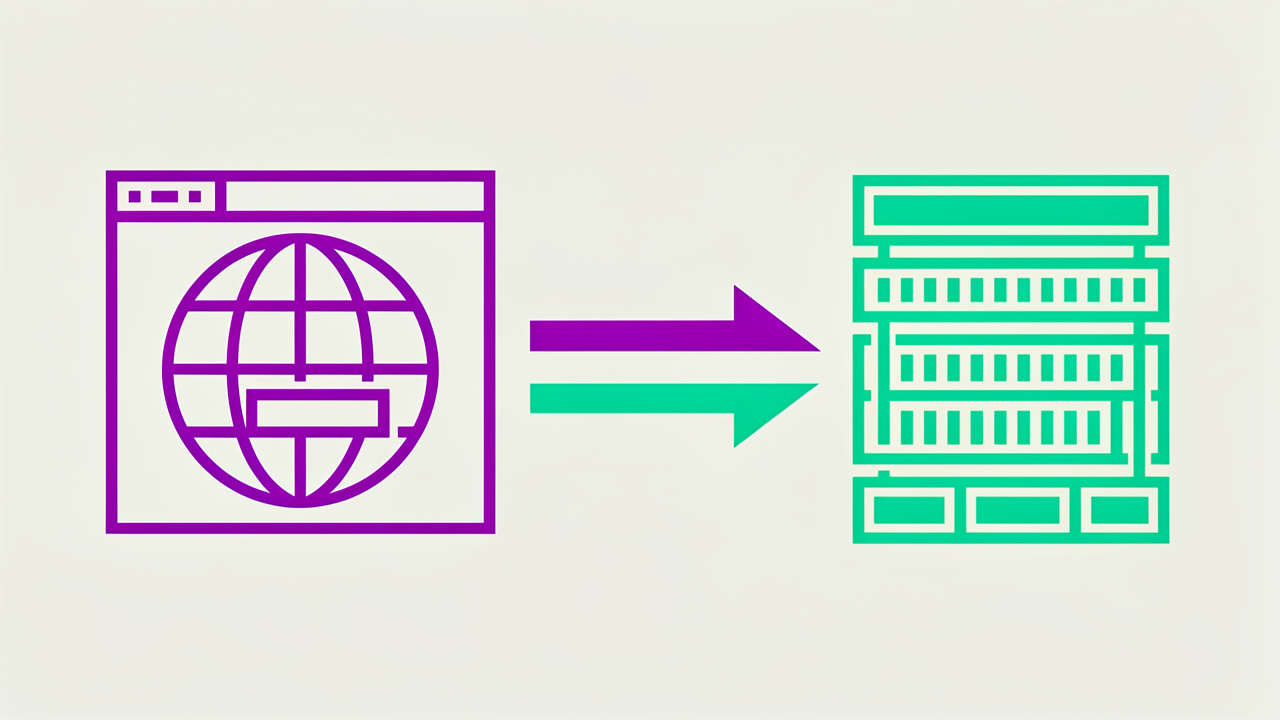
DNS and reverse IP lookup tools connect domain names to IP addresses and reveal that relationship in both directions. A standard DNS check confirms that a domain points to the correct server and that changes have propagated correctly. Reverse IP lookup flips this, showing which other domains share the same hosting server, which helps with troubleshooting misconfigured records.
Port scanning and network analysis tools
Port scanning tools check which network ports on a server are open and accepting connections, such as port 80 for web traffic or port 443 for secure connections, a process closely related to the routing and interface checks documented in the Linux ip command manual. Open ports that aren’t needed represent potential security weak points, so scanning confirms only the services you actually need stay exposed. Small business owners running their own servers can use a quick scan to catch misconfigurations early, often in seconds.
Whois and CIDR/range tools

Whois tools pull domain registration records, showing who owns a domain, when it was registered, and when it expires. This helps with verifying a client’s legitimacy or checking if a domain is about to lapse. CIDR, short for Classless Inter-Domain Routing, notation tools show how IP address ranges are grouped, which matters for configuring firewalls and access rules correctly.
How do I choose the right IP tool for my task?
Choosing the right IP tool starts with naming your actual goal, whether that’s a location lookup, a security check, a DNS fix, or a Whois search, then picking the tool built for exactly that job. Trying to use one all-purpose tool for every task usually means wading through irrelevant data to find the single detail you need. Browser-based tools that need no login or installation remove a layer of friction here, since you can run a quick check and move on without creating an account or waiting on a download. This matters even more when you’re checking things occasionally rather than daily, since setting up a new account for a one-time task rarely feels worth it. Free, no-signup options also tend to respect your privacy better, since there’s no account tied to your search history.
| Your task | Tool type to use |
|---|---|
| Check a visitor’s rough location | IP lookup and geolocation tool |
| Confirm a sender’s security risk | IP reputation checker |
| Fix a domain pointing issue | DNS or reverse IP lookup tool |
| Audit a server’s open services | Port scanning tool |
| Verify who owns a domain | Whois tool |
Why Tools Repository fits everyday IP and web tasks
Tools Repository fits everyday IP and web tasks by offering a single, browser-based home for the kind of quick checks developers, designers, and freelancers run throughout the day. Rather than bouncing between a dozen separate sites for formatters, converters, and web helpers, you get over 100 tools in one clean interface, with nothing to install and no account to create. That matters for anyone who needs an answer now, not after filling out a signup form.
Every tool runs directly in your browser, so nothing you type gets sent off to be stored or tracked somewhere else. That makes it a solid fit for:
- Students checking how formatting works
- Freelancers verifying a client detail
- Small teams running quick tests between bigger projects
It’s also entirely free, with no subscription tiers or hidden paywalls blocking basic functionality.
What should I watch out for when using IP tools?
The biggest thing to watch for with IP tools is geolocation accuracy, since most lookups only pinpoint a city or region rather than an exact street address. Results get even less reliable when traffic passes through a VPN or proxy, since those services intentionally mask the real originating location. ISP-allocated addresses tend to show more consistent data than consumer VPN exits, so treat location results as a reasonable estimate rather than a guarantee.
Privacy is the second concern worth keeping in mind. While an IP address itself counts as public routing information, combining it with other personal details can cross into regulated territory under laws like GDPR or CCPA. Stick to tools that don’t store or log your searches, and avoid pairing IP data with personal information unless you have a clear, lawful reason to do so.
Treat any IP lookup result as a starting point for investigation, not a final verdict. Cross-checking a couple of sources before acting on the data is always worth the extra minute.
The takeaway
IP tools solve different problems depending on what you’re trying to learn, whether that’s a visitor’s rough location, a server’s security posture, a domain’s DNS setup, or who owns a particular web address. No single tool covers everything well, so the smartest approach is matching the tool to the task at hand and leaning on more than one source when accuracy really matters. Keep privacy in mind throughout, since how you collect and store IP data matters as much as the lookup itself.
If you’re searching for a fast, no-login way to run everyday checks alongside your other web and design tasks, the platform offers a free, browser-based library built for exactly that kind of quick, practical work. Start with the task in front of you, pick the tool built for it, and you’ll get clean, reliable answers without the extra hassle.
Frequently asked questions
Can I find the exact location of someone using their IP address?
No, IP geolocation usually identifies a city or region rather than an exact address or building. Accuracy drops further when a connection runs through a VPN or proxy, which can show a location far from the real user. Treat results as a general estimate, not a precise map pin.
Is it legal to look up someone’s IP address?
Yes, an IP address counts as public routing information needed to deliver internet traffic. Legal concerns arise when you combine it with other personal details to identify someone specifically. Follow privacy regulations like GDPR or CCPA if you store IP data alongside personal information.
Why does my IP address change sometimes?
Most home connections use dynamic IP addresses, assigned by your ISP through a system called DHCP, which reassigns addresses periodically. Servers often use static IP addresses that stay fixed instead. That’s why your home connection’s IP shifts occasionally while a website’s server address stays constant.
What’s the difference between IPv4 and IPv6?
IPv4 uses a shorter format with a limited pool of addresses, most of which are already in use. IPv6 uses a longer format that supports far more addresses for today’s growing number of connected devices. Many IP tools still support IPv6 less completely than IPv4, so check compatibility first.
Do free IP tools store my search data?
It depends on the provider, so check the privacy policy before trusting any tool. Browser-based tools that skip account creation typically process requests without logging what you searched. Still, confirm this directly rather than assuming every free tool handles data the same way.
How often should I check my IP reputation?
Anyone sending email or running a public-facing server should check IP reputation regularly, ideally monthly or after any unusual traffic spike. Catching a reputation problem early helps you fix it before it hurts email deliverability or damages trust with visitors. Regular checks take a few minutes but can save real cleanup work later.