
Free Online Character Counter Tool (No Sign-Up)

Alisha Anjum

Pasting your text into a counting site only to run into pop-up ads or a forced sign-up screen gets old fast. You just need a number, not a new account to manage. The best free online character counter tool solves this by counting characters, words, sentences, and paragraphs the instant you type, right inside your browser, with no login and nothing to install. Tools Repository builds exactly this kind of utility, made for anyone who needs a quick, accurate text count without extra steps standing in the way.
This guide walks through what an online character counter tool actually does, how to use one in a few simple steps, and why character limits matter across so many platforms. You’ll also see why a privacy-first, no sign-up approach beats the cluttered alternatives most people are used to. By the end, you’ll know exactly how to pick and use a counter that fits your workflow.
Key takeaways
A free online character counter tool needs no sign-up, no payment, and no software install to give you instant results.
Client-side processing means your text stays in your browser and is never stored or sent to a server.
Real-time counts cover characters, words, sentences, and paragraphs as you type or paste.
Platforms like Twitter/X, meta descriptions, and resumes all enforce strict character limits worth knowing.
Tools Repository pairs its character counter with other free text tools for a complete writing workflow.
Table of Contents
- What is an online character counter tool?
- How do I use a free online character counter?
- Why do character limits matter across different platforms?
- What else can a text tool suite do for you?
- The takeaway
- Frequently asked questions
What is an online character counter tool?
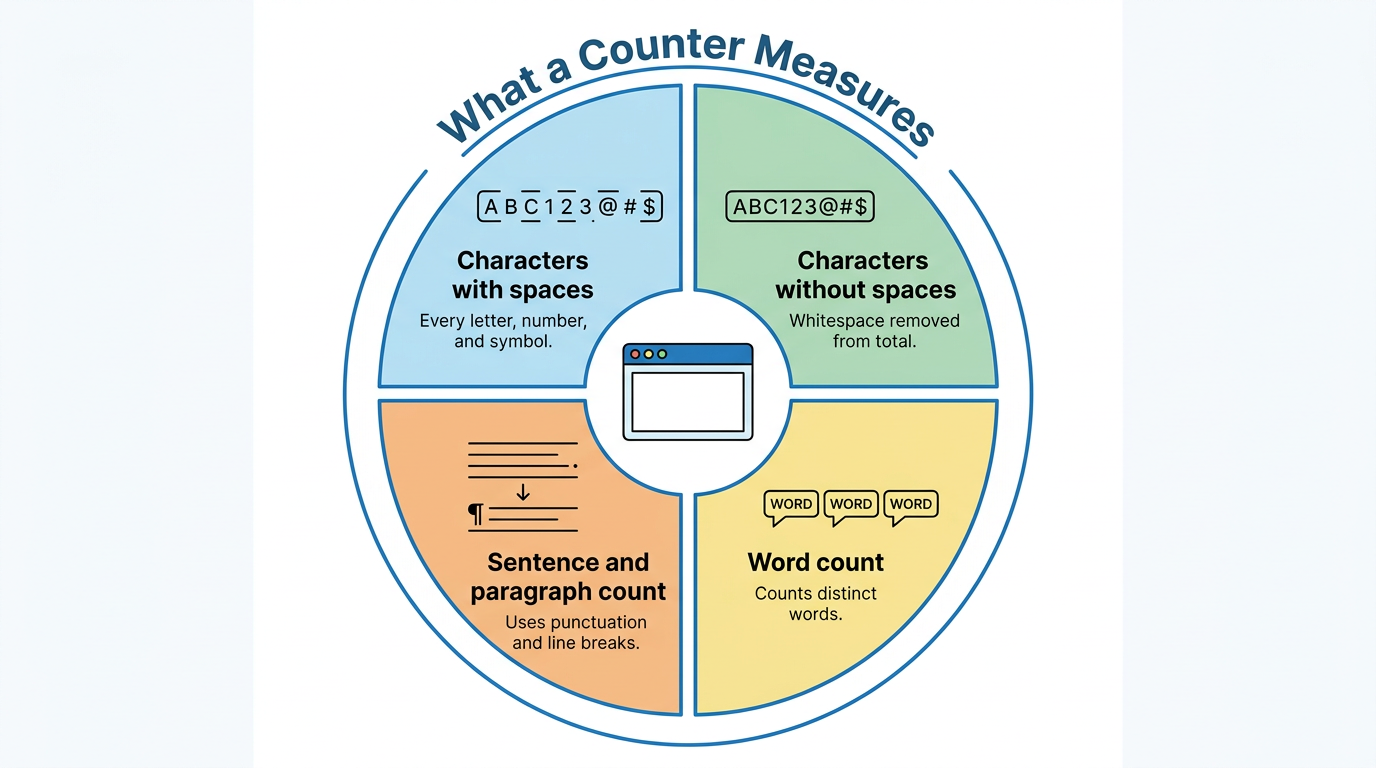
An online character counter tool is a browser-based utility that counts the characters, words, sentences, and paragraphs in any text you type or paste. It works instantly, without needing you to click a submit button or wait for a page to reload. Instead of manually counting letters in an email draft or a tweet, you get a live, accurate readout the moment your text hits the box.
Most tools track a handful of core metrics side by side. Character count with spaces includes every letter, number, symbol, and blank space in your text. Character count without spaces strips out whitespace, which matters for platforms or forms that only measure visible characters. Word count tallies distinct words, sentence count uses punctuation like periods and question marks to mark boundaries, and paragraph count follows line breaks in your document.
Some tools go further with extras like syllable counts, average word length, or a readability score such as the Dale-Chall formula, which checks your text against a list of familiar, everyday words. These added layers help writers judge whether their content matches the reading level of their audience. For most everyday tasks, though, the basic character and word counts already solve the core problem.
How does a character counter actually work?
A character counter works by scanning your text the moment you type or paste it, applying character-level tokenization logic similar to methods explored in research on language models over characters, with no submit button required. Behind the scenes, it applies simple rules, treating spaces and punctuation as boundaries between words and sentences. Every keystroke triggers a fresh calculation, so the numbers on screen update live rather than after you finish writing.
This real-time approach is what separates a dedicated counter from a word processor’s built-in stats, which often update only when you check a menu. Because the logic runs directly in your browser, there’s no delay waiting for a server to respond. You see character, word, sentence, and paragraph totals change as fast as you can type.
How do I use a free online character counter?
Using a free online character counter starts with pasting or typing your text into an open input box, and results appear immediately with no extra clicks. There’s no account to create, no software to download, and no waiting period before you can see your numbers. This makes the process almost identical no matter which counter you choose, since the workflow itself is built to be as simple as possible.
Most tools follow the same basic pattern from start to finish. You add your text, review the live statistics, adjust a setting or two if the tool offers them, and then copy your finished content once it fits your limit. The steps below break this down in more detail, followed by a look at what makes a well-built counter worth choosing over a cluttered alternative.
Step-by-step: from pasting text to seeing your count
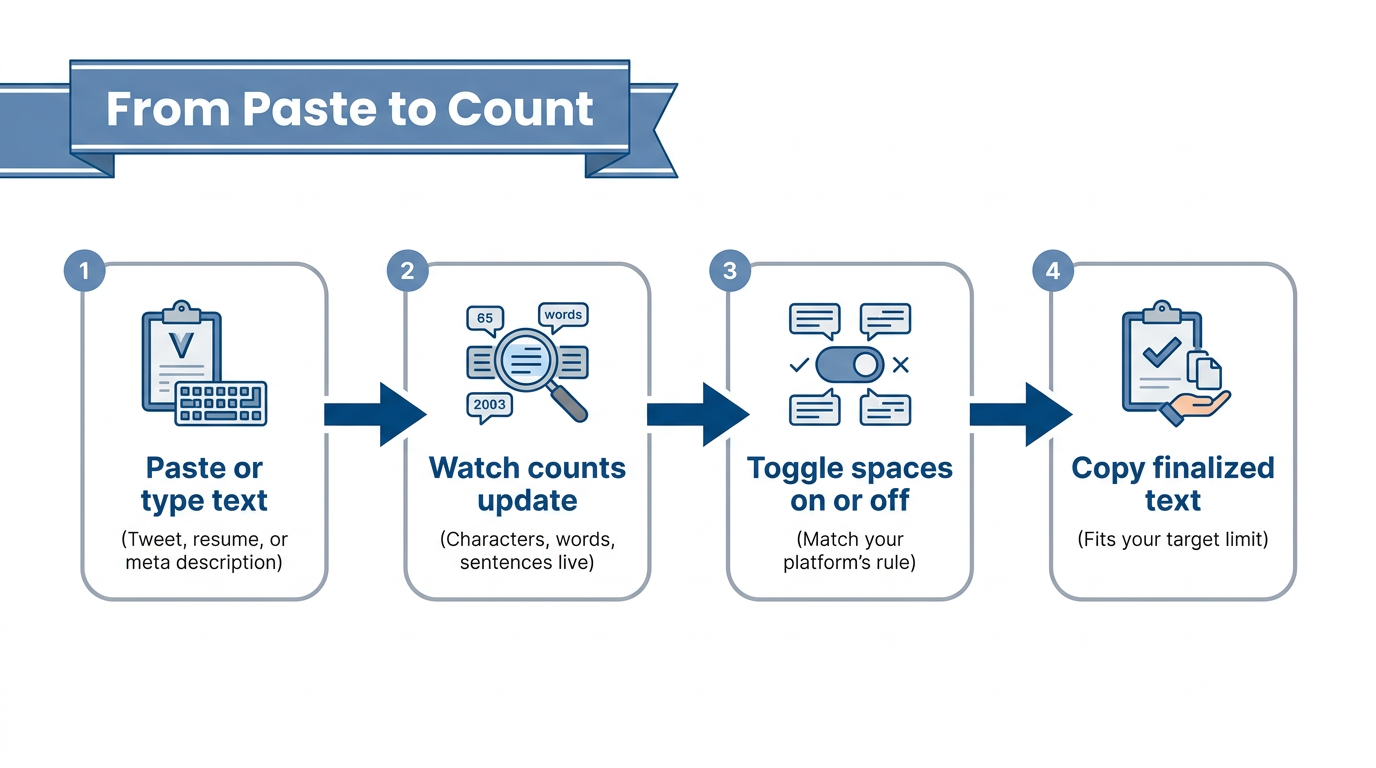
Getting a character count takes only a few seconds once you know the basic flow. Here’s how the process typically works across most tools.
Paste or type your text directly into the input box, whether it’s a tweet draft, a resume line, or a meta description.
Watch the character, word, sentence, and paragraph counts update instantly as you type or edit, no refresh needed.
Toggle between counting with spaces or without spaces, depending on whether your platform’s limit counts blank space.
Copy your finalized text once the numbers confirm it fits within your target limit, then paste it wherever it needs to go.
This short sequence works the same whether you’re checking a single sentence or a full page of copy. Because every step happens in the browser, you can repeat it as many times as needed without losing your place.
Why Tools Repository’s character counter stands out
Tools Repository’s character counter stands out by skipping every barrier that usually slows this task down, no sign-up, no cost, and no hidden tiers. You simply open the page and start typing, and the count appears right away. There’s no account wall between you and the numbers you need.
The tool also processes text entirely inside your browser, so nothing you paste gets stored or sent to a server elsewhere. That matters if you’re checking a client contract, a draft resume, or any text you’d rather keep private. It also handles large blocks of text smoothly and works just as well on a phone or tablet as it does on a desktop screen.
Why do character limits matter across different platforms?
Character limits matter because exceeding them causes your text to get cut off, rejected, or displayed incorrectly on the platform you’re posting to. A caption that runs too long on Twitter/X simply won’t post, and a meta description that’s too wordy gets truncated in Google’s search results with an awkward ellipsis. These aren’t arbitrary rules either, they usually come from database limits, screen space, or how much text a reader can scan comfortably.
Knowing a platform’s limit ahead of time saves you from last-minute editing scrambles. A resume that runs over one page, a product listing that gets rejected by eBay, or a tweet that won’t send all trace back to the same root cause, not checking the character count before hitting submit. Running your draft through an online character counter tool first avoids that entirely.
Common character limits you should know
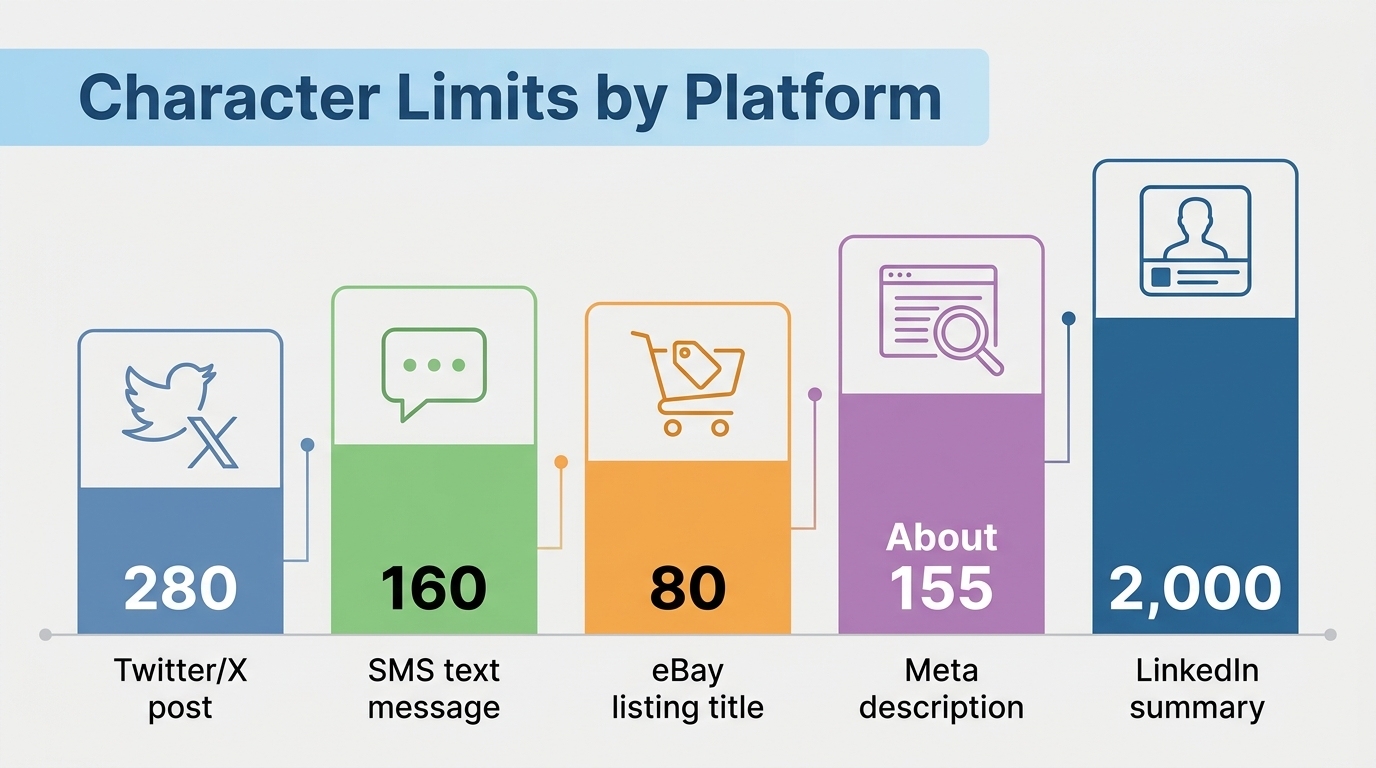
A handful of platforms account for most of the character limit issues writers and marketers run into. The table below covers five of the most common ones worth keeping in mind.
| Platform | Character limit |
|---|---|
| Twitter/X post | 280 characters |
| SMS text message | 160 characters |
| eBay listing title | 80 characters |
| Meta description (Google search) | ~155 characters displayed |
| LinkedIn summary | 2,000 characters |
These limits shift occasionally as platforms update their rules, so it’s worth double-checking a current count rather than relying on memory. A quick paste into a counter confirms whether your draft fits before you commit to publishing it.
Tip: When in doubt, count first and edit second. It’s faster to trim ten characters than to rewrite an entire sentence after a platform rejects your post.
Who relies on character counts most?
Certain roles run into character limits daily as a normal part of their work.
Web developers regularly check meta tags, alt text, and form field values to keep dynamic content from breaking layout rules.
Students track essay word and character minimums or maximums to meet assignment guidelines and avoid losing points for formatting alone.
Freelancers and small business owners lean on character counts just as often, whether fitting a resume onto a single page or squeezing a product description into an eBay title.
Copyeditors use the same counts alongside readability metrics to judge whether content matches its intended audience.
Across all these roles, the underlying need stays the same, a fast, reliable number before hitting publish or submit.
What else can a text tool suite do for you?
A text tool suite extends beyond character counting to cover the other small, repetitive tasks that come up while writing, editing, or preparing content for the web. Instead of bouncing between different single-purpose sites for each task, a bundled toolkit keeps formatting, cleanup, and SEO-related utilities in one place. This matters most for writers, developers, and designers juggling several text-related jobs in a single sitting.
Tools Repository takes this approach with its broader collection of free utilities built around the same no sign-up, browser-based model as its character counter. Each tool solves one specific, narrow problem well rather than trying to do everything at once. That focus keeps each utility fast and simple to use without a learning curve.
Free tools that pair well with character counting
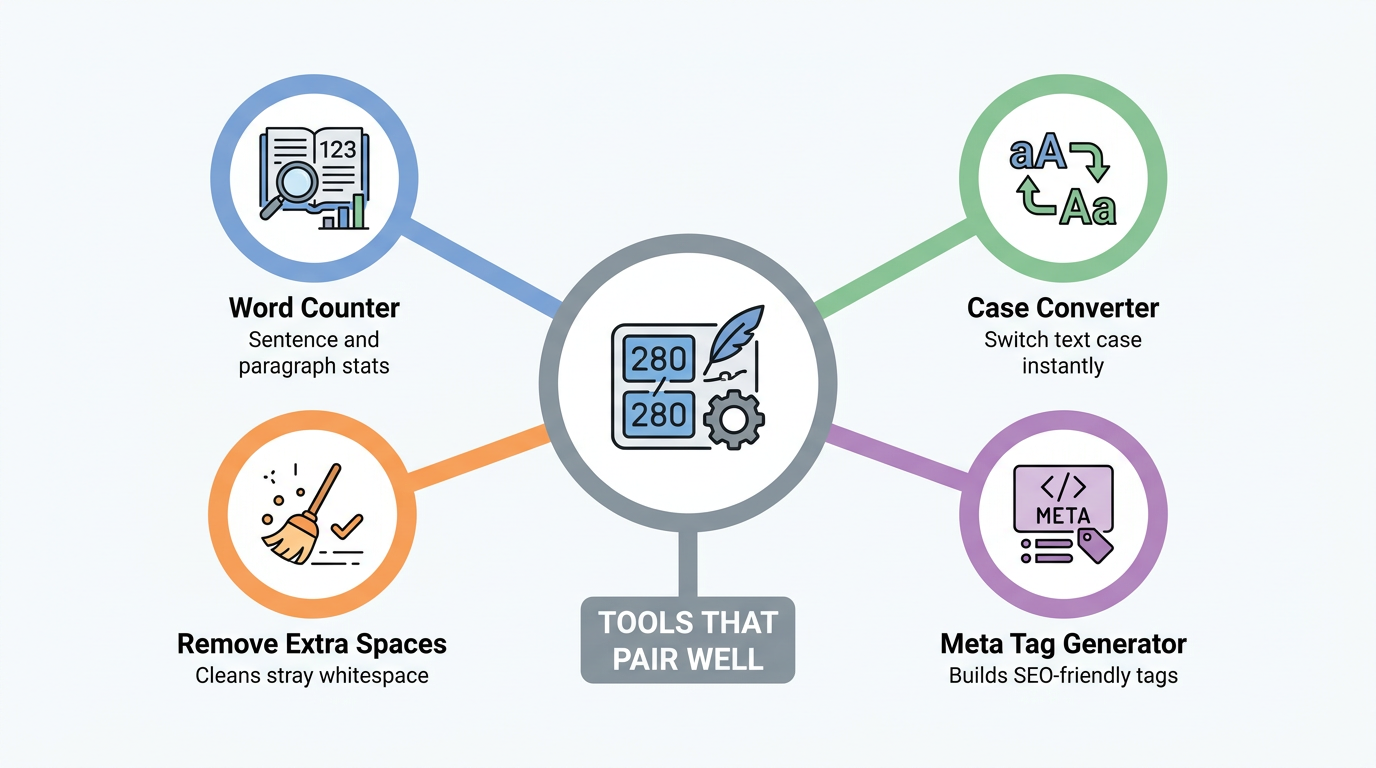
Pairing a character counter with a few complementary tools covers most day-to-day text tasks without switching platforms. The list below highlights a few worth knowing.
Word Counter breaks text down further into sentence and paragraph statistics, useful when you need more than a raw character total.
Case Converter switches text between uppercase, lowercase, and title case in one click, handy for headlines or formatted titles.
Meta Tag Generator builds SEO-friendly meta tags while keeping fields like descriptions within their display limits.
Remove Extra Spaces cleans up stray whitespace and blank lines before you publish or submit a final draft.
The takeaway
A free, no sign-up character counter saves real time by giving you an instant, private way to check your text before you publish, submit, or post it anywhere. There’s no account to create, no ad-cluttered interface to fight through, and no risk of your draft sitting on someone else’s server. Tools Repository’s version follows this same approach, running the count entirely in your browser so your text stays yours.
Next time you’re trimming a tweet, checking an eBay title, or fitting a resume onto one page, try pasting your draft into a counter before you second-guess the length by eye. Pair it with the rest of the toolkit for a one-stop way to format, clean, and check your content in the same sitting.
Frequently asked questions
Question: Is there a free character counter with no sign-up required?
Yes, most modern character counters, including the one on Tools Repository, are completely free and require no registration. You simply open the page in your browser and start typing or pasting text. Results appear instantly with no account, email, or payment needed at any point.
Question: Does a character counter tool store or track my text?
A well-built character counter processes your text entirely on the client side, meaning it runs in your browser rather than on a remote server. This means your input is never uploaded, stored, or tracked. Once you close the tab, the text is gone, with nothing saved anywhere else.
Question: What’s the difference between character count and word count?
Character count measures every individual letter, number, symbol, and space in your text, a distinction confirmed in studies measuring word counts, character counts, and proportion of dictionary words across writing tasks. Word count instead measures distinct words, typically separated by spaces. A short word like cat counts as one word but three characters, which is why platforms sometimes use one metric instead of the other.
Question: Can I count characters without spaces?
Yes, most counters include a toggle to switch between counting with spaces and without spaces. This matters for platforms like SMS messages or certain form fields that calculate limits based only on visible, non-space characters. Switching the toggle updates your total instantly without needing to retype anything.
Question: Do character counters work for non-English text?
Yes, character counters work across languages, and they’re especially useful for Japanese, Korean, and Chinese, where character count carries more weight than word count. Each character in these languages holds more meaning than a single Latin letter. Even for other languages, tracking character count still helps with editing and formatting.
Question: How accurate are online character counters?
Online character counters are highly accurate because they apply exact, rule-based logic to detect characters, spaces, and word boundaries rather than estimating. Counts update in real time as you edit, so the numbers you see always reflect your current draft. There’s no rounding or approximation involved in the calculation.