
How to Calculate Loan Amortization: Step-by-Step Guide

Alisha Anjum

Signing a loan agreement feels simple until you realize you have no idea where your money actually goes each month. You know the payment amount, but not how much chips away at the balance versus how much covers interest. That confusion is normal, because the math behind it looks far more complicated than it really is.
Loan amortization is the process that determines exactly how each payment on a loan splits between interest and principal, and how that split shifts over time. This guide breaks down how to calculate loan amortization step by step, starting with the formula lenders use, then walking through a real example with actual numbers. You will also learn how to read a full amortization schedule, what factors change your total cost, and how a free calculator can do the heavy lifting once you understand the mechanics.
By the end, you will be able to check any loan offer yourself instead of just trusting the numbers a lender hands you.
Key takeaways
- The amortization formula calculates a fixed payment using your loan amount, monthly interest rate, and total number of payments.
- Early payments on most loans are mostly interest, not principal, because interest is charged on the full outstanding balance.
- A six-step process lets you build your own amortization schedule by hand, without any special software.
- Extra payments toward principal reduce the balance interest is calculated on, which can cut years off a loan term.
- Free online calculators remove the need for manual math while still showing the complete payment breakdown.
Table of Contents
- What is loan amortization?
- How do you calculate loan amortization?
- How do I read an amortization schedule?
- What factors change how a loan amortizes?
- Skip the math and use a free amortization calculator
- Closing thoughts
- Frequently asked questions
- Why do my early loan payments feel like they barely reduce my balance?
- Does making biweekly payments really help pay off a loan faster?
- What’s the difference between an amortization schedule and a loan payoff calculator?
- Can I calculate amortization for a loan with a variable interest rate?
- Why does my mortgage payment differ from the amortization calculator result?
- Is it worth paying off my loan early once I’ve passed the interest tipping point?
What is loan amortization?
Loan amortization is the gradual payoff of a debt through a series of fixed payments, each one split between interest charges and principal reduction. Every payment you make on a mortgage, auto loan, or personal loan follows this same structure, and the balance drops a little more with each one until it reaches zero at the end of the term.
This process is different from revolving debt like credit cards, where your balance can rise and fall depending on what you charge and pay back each month. It also differs from balloon loans and interest-only loans, which postpone most or all of the principal payoff until later in the term rather than spreading it evenly across every payment.
How do you calculate loan amortization?
Calculating loan amortization means finding your fixed monthly payment first, then breaking that payment into its interest and principal portions for every period of the loan. The process relies on one core formula plus a repeatable set of steps you apply month after month until the balance hits zero, and once you understand the pattern, it works the same way for a car loan, a mortgage, or a personal loan of any size.
The amortization formula explained
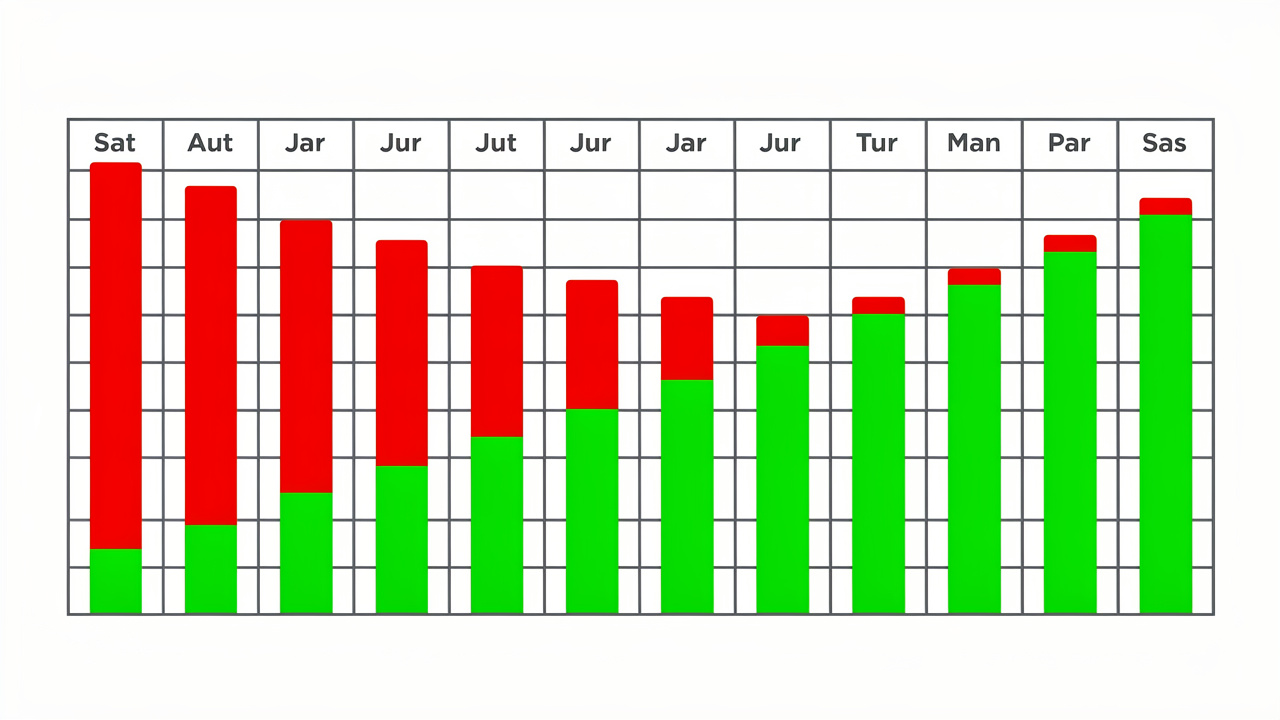
The standard formula for finding your fixed monthly payment is M = P x [r(1 + r)^n / ((1 + r)^n – 1)], where M is your monthly payment, P is the loan principal, r is the monthly interest rate, and n is the total number of payments. To get r, divide your annual interest rate by 12, so a 6% annual rate becomes a 0.5% monthly rate.
To get n, multiply your loan term in years by 12, meaning a 4-year auto loan equals 48 payments and a 30-year mortgage equals 360. This formula produces a single fixed payment amount that stays the same for the entire loan, even though the mix of interest and principal inside that payment keeps changing month to month.
Step-by-step calculation process
Building a full picture of how to calculate loan amortization works best as a repeatable checklist you can apply to any loan, regardless of size or term. Each step feeds into the next, so skipping one usually means starting the whole process over.
- Gather your loan amount, annual interest rate, and loan term in years before you start any math.
- Convert the annual rate to a monthly rate by dividing it by 12.
- Multiply the loan term in years by 12 to find the total number of payments.
- Plug those numbers into the amortization formula to get your fixed monthly payment.
- For each month, multiply the current balance by the monthly rate to find that month’s interest, then subtract it from the payment to find the principal portion.
- Subtract the principal portion from the balance to get the new balance, then repeat the process for the next payment.
Worked example for a $30,000 loan
Take a $30,000 car loan at 3% annual interest over 4 years, or 48 payments. The monthly rate is 0.03 divided by 12, which equals 0.0025, and running that through the formula gives a fixed monthly payment of $664.03. In month one, interest comes to $75.00, so the principal portion is $589.03, leaving a new balance of $29,410.97. Month two uses that smaller balance, so interest drops slightly and principal rises slightly, a pattern that repeats every month until the loan reaches zero.
How do I read an amortization schedule?
An amortization schedule is a table that lists every single payment over the life of a loan, showing exactly how much goes to interest, how much goes to principal, and what balance remains after each one. Reading it correctly means understanding five columns, payment number, total payment, interest paid, principal paid, and remaining balance, each of which updates together as the loan progresses.
The pattern worth watching closely is interest front-loading, where early payments lean heavily toward interest because that charge is based on the full outstanding balance. On a typical 30-year fixed mortgage, the crossover point where principal finally outweighs interest in the payment usually lands around year 18 or 19, while a 15-year mortgage reaches that same crossover by around year 3 or 4 because the faster payoff schedule shrinks the balance much sooner.
What factors change how a loan amortizes?
Three variables largely decide how fast your loan amortizes and how much it costs you in total, and all three are things you can compare or influence before signing anything. Loan term length changes both your monthly payment size and your total interest paid, while interest rate and any extra payments you make toward principal create compounding effects that build up over the life of the loan.
Loan term and interest rate

A shorter loan term means a higher monthly payment, but it also means far less total interest paid because the balance shrinks faster and less time is left for interest to accumulate. Even a small difference in interest rate compounds significantly across a 30-year term, which is why comparing rates between lenders matters as much as comparing the headline payment amount.
| Loan type | Typical monthly payment | Total interest trend |
|---|---|---|
| 30-year mortgage | Lower | Much higher over time |
| 15-year mortgage | Higher | Significantly lower over time |
The impact of extra payments

extra principal payments shrink the balance that interest gets calculated on, which creates a snowball effect across the remaining term. Adding even $50 to $100 extra to a monthly payment can shave years off a long-term loan and reduce the total interest paid by a meaningful amount, especially when the extra payments start early.
Skip the math and use a free amortization calculator
Working through the formula by hand is worth doing once so you understand what is happening inside your payment, but a calculator gets you the same answer instantly without any risk of arithmetic errors. Tools Repository offers a free, browser-based set of calculator and data tools that run entirely on your own device, so there is no sign-up, no subscription, and nothing saved or tracked on a server somewhere.
That privacy angle matters more than it might seem, since loan calculations often involve real numbers you would rather not hand over to a site that stores your data. Because everything runs client-side, you can plug in your actual loan amount, rate, and term, review the full payment breakdown, and move on without creating an account or leaving a trace.
Tip: before signing any loan offer, run the lender’s numbers through an independent calculator. A few minutes of checking can catch rounding errors or mismatched terms before they cost you years of extra interest.
Closing thoughts
Understanding how to calculate loan amortization gives you a clearer view of what you are actually paying for when you borrow money, and that clarity helps with everything from comparing lenders to deciding whether extra payments make sense for your situation. The formula itself is not complicated once you have walked through it a few times, and recognizing the interest front-loading pattern explains why early payments can feel like they barely move the needle on your balance.
Try running your own loan numbers through the formula, or use a free calculator like the one on Tools Repository to double check a lender’s figures before you sign anything. A few minutes spent understanding your amortization schedule now can save you real money over the life of the loan.
Frequently asked questions
Why do my early loan payments feel like they barely reduce my balance?
Interest is calculated on your current outstanding balance, which is at its highest point early in the loan, so a larger share of each payment covers interest rather than principal. As the balance drops over time, the interest portion shrinks and more of each payment goes toward reducing what you owe.
Does making biweekly payments really help pay off a loan faster?
Yes, paying half your monthly amount every two weeks results in 26 half-payments a year, equal to 13 full monthly payments instead of 12. That extra payment goes entirely toward principal, which speeds up payoff and reduces total interest over the loan term.
What’s the difference between an amortization schedule and a loan payoff calculator?
An amortization schedule shows a full month-by-month breakdown of every payment, including interest, principal, and remaining balance. A loan payoff calculator usually skips that detail and just gives you summary totals, like your payoff date or total interest paid.
Can I calculate amortization for a loan with a variable interest rate?
The standard amortization formula assumes a fixed rate for the entire term, so it works directly for fixed-rate loans. Adjustable-rate mortgages require recalculating the schedule each time the rate changes, using the new rate, current balance, and remaining years left on the loan.
Why does my mortgage payment differ from the amortization calculator result?
Most amortization calculators only show principal and interest, leaving out other housing costs. Your actual mortgage payment is usually higher because it includes property taxes, homeowners insurance, and sometimes private mortgage insurance or escrow fees added on top.
Is it worth paying off my loan early once I’ve passed the interest tipping point?
Once you pass the tipping point, most of each payment already goes toward principal, so extra payments save less interest than they would have earlier in the loan. Early payoff can still save some money and shorten the term, but the benefit is smaller compared to paying extra in the first several years.